
 SlipMeter
Beta
SlipMeter
Beta
Track the work that happens between coaching sessions.
You are a coach, but you are not always coaching. SlipMeter helps you capture the prep, follow-up, admin, planning, and client work that normally disappears into the day.
The hidden leak
Most coaching work never makes it into the record.
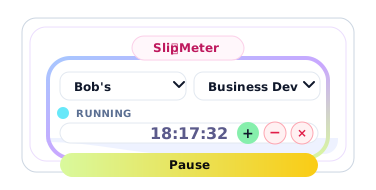
Client prep, quick research, proposal follow-up, reviewing homework, internal admin, and support messages all take time. SlipMeter gives that work a simple place to land, without forcing you back into a full dashboard every time you do five minutes of client work.
How it works
A tiny timer with useful coaching context.
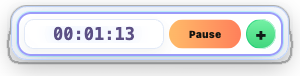
SlipMeter is built to stay light, fast, and out of the way.
Choose a client
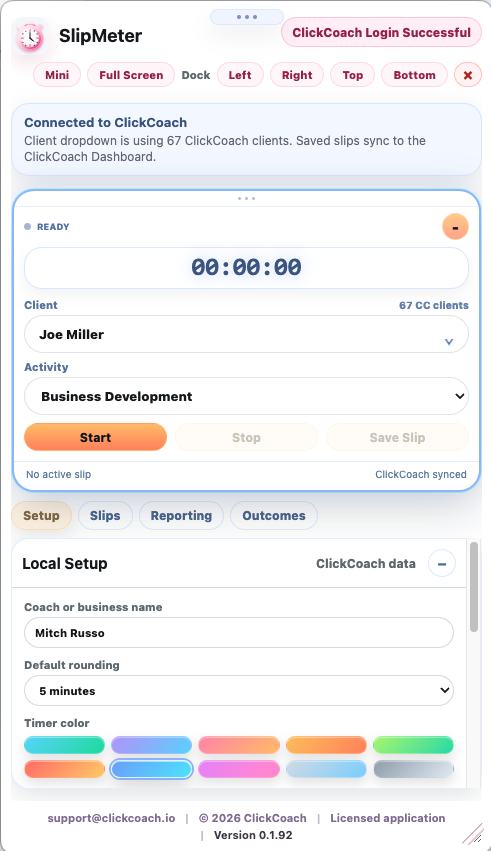
Select from your ClickCoach clients or add local clients if you use SlipMeter independently.
Pick the activity
Track prep, follow-up, admin, client session work, program design, or your own activity list.
Save the slip
Mark work as billable, non-billable, internal/admin, or included at no charge.
Report on it
Review detailed slips, summaries by client, and the time patterns that shape your week.
For ClickCoach subscribers
SlipMeter can connect to your coaching database.
When a subscriber signs in with ClickCoach, SlipMeter can use their client list, activities, and coaching context so the timer feels native instead of separate.
- Uses your existing ClickCoach username and password
- Reads ClickCoach clients when access is enabled
- Saves slips in a way that can support future reporting and billing workflows
- Included free for active ClickCoach subscribers during beta
Not a ClickCoach subscriber?
SlipMeter can still run on its own. Add your own clients, activities, rounding preferences, and local data directly inside the app.
Frequently asked questions
Top questions from coaches using SlipMeter without ClickCoach.
Can I use SlipMeter if I am not a ClickCoach subscriber?
Yes. SlipMeter can run as a standalone Mac app. You can add your own clients, activities, rounding preferences, and local time records without needing a ClickCoach subscription.
What kind of coaching work should I track with SlipMeter?
SlipMeter is designed for the work that happens around coaching sessions, including prep, follow-up, client support, homework review, admin, research, program design, and billable or non-billable client work.
How much does SlipMeter cost for standalone users?
Standalone users can start with a 30-day trial. After the trial, SlipMeter is planned at $29.99 per year.
Does SlipMeter replace my coaching platform or CRM?
No. SlipMeter is a lightweight timer and reporting tool for coach-client work. It is meant to help you capture time clearly, not replace your scheduling, CRM, billing, or full coaching platform.
Can I separate billable, non-billable, and included time?
Yes. SlipMeter is built around slips that can be marked as billable, non-billable, internal/admin, or included at no charge so you can see where your time is actually going.
If I have multiple team members using SlipMeter, can we consolidate that data?
Absolutely. Every SlipMeter app has full export capabilities, so you can combine team data in a spreadsheet or database, create reports, or upload it directly into ClickCoach. ClickCoach also includes a full SlipMeter reporting dashboard, giving your coaching business one place to review and work with the combined data.