

Digital resources improve client engagement by removing the administrative friction that eats into coaching time and replacing it with timely, personalized touchpoints that keep clients active between sessions. Coaches who automate intake, scheduling, and reminders reclaim meaningful hours for billable work, according to coaching automation research aligned with International Coaching Federation findings on workflow efficiency. AI-supported progress reporting further strengthens renewal conversations by giving both coach and client a clear, documented picture of growth. ClickCoach brings all of this under one login, so you are not stitching together five separate tools.
Three things you can do this week:
- Automate intake and booking so clients self-schedule without back-and-forth email
- Add timed session reminders plus one reflection check-in between sessions
- Start a simple progress log for each client to use at renewal conversations
Table of Contents
- How do digital resources actually improve client engagement?
- Which software features actually move the engagement needle?
- How do you roll out digital tools without disrupting client relationships?
- How do you measure whether digital tools are delivering ROI?
- What privacy and security basics do U.S. coaches need to know?
- How ClickCoach puts these recommendations into practice
- Key Takeaways
- The part most coaches underestimate about going digital
- ClickCoach gives you one place to run your whole practice
- Useful sources and further reading
How do digital resources actually improve client engagement?
The primary effect is straightforward: when administrative tasks move out of your sessions, the time that remains is higher quality. Scattered action items, missed reminders, and weak follow-up are the most common reasons client momentum stalls, and technology addresses all three directly.
Three mechanisms connect the right tools to stronger engagement. First, a frictionless onboarding sequence converts more inquiries into first sessions because each additional manual step in intake compounds drop-off. Second, timed reminders and check-ins create personalized touchpoints that keep clients engaged between meetings. Third, visible progress documentation gives clients a concrete sense of movement, which is one of the strongest predictors of program completion and renewal.
Industry case studies consistently show that automating onboarding and reminders reduces no-show rates and improves early-session retention, making it the highest-ROI automation opportunity for most coaching practices.
Measurable client-facing benefits include lower no-show rates, faster time from inquiry to first session, and clearer homework adherence. AI-driven CRM workflows, including behavior-triggered follow-up, are associated with longer retention and lower involuntary churn in cohort studies.
Which software features actually move the engagement needle?
A compact set of features captures most of the engagement upside. You do not need a sprawling platform. You need the right ones, in the right order.
Must-have features:
- Scheduling and self-booking: Removes the back-and-forth that delays first sessions and frustrates returning clients
- Automated onboarding: Intake forms, welcome sequences, and consent collection handled before the first call
- Timed reminders: Session reminders and between-session check-ins that reduce no-shows without manual effort
- Progress tracking: A structured log of goals, milestones, and session outcomes that feeds renewal conversations
High-value additions:
- Client portal: A branded, easy-to-access hub for homework, session notes, and resources
- Homework and task assignment: Structured between-session work with completion tracking
- Billing and receipts: Transparent payment flows build trust; modern clients compare coaching apps to the best consumer apps they use daily
Nice-to-have:
- Lightweight analytics: Session frequency, completion rates, and engagement scores at a glance
- Integrations: Calendar sync, video conferencing, and email connections that reduce context-switching
Pro Tip: Automate the operational layer fully, but keep human touches on the high-signal moments: a personal note after a breakthrough session, a direct message when a client goes quiet. Automation handles the routine; you handle the meaningful.
How do you roll out digital tools without disrupting client relationships?
A staged pilot minimizes adoption risk and produces quick wins that build your confidence before you expand. Starting with booking and onboarding, then adding progress tracking, is the sequence that consistently produces measurable results early.
8-week rollout plan:
- Week 1–2 (Foundation): Enable scheduling, intake forms, and automated booking confirmation. Test with two or three existing clients.
- Week 3–4 (Reminders): Activate session reminders and one between-session check-in message. Confirm delivery and open rates.
- Week 5–6 (Progress tracking): Set up a progress log for each pilot client. Assign the first structured homework task.
- Week 7–8 (Review and expand): Measure no-show rate and client feedback. Roll out to full client list if results are positive.
Tell clients what to expect before you flip anything on. A short message works well: “I’m adding a client portal where you’ll find session notes, homework, and reminders. Everything stays private and secure. You’ll get an invite this week.” Clear communication about what is digitized protects expectations and improves adoption, as digital coaching research consistently confirms.
Designate one person (you, or an admin) to manage automation settings and handle exceptions. Document your reminder cadence and intake sequence so it runs consistently even when you are busy.

How do you measure whether digital tools are delivering ROI?
Track five core KPIs from week one. These metrics tell you whether your tools are working before you commit to a full rollout.
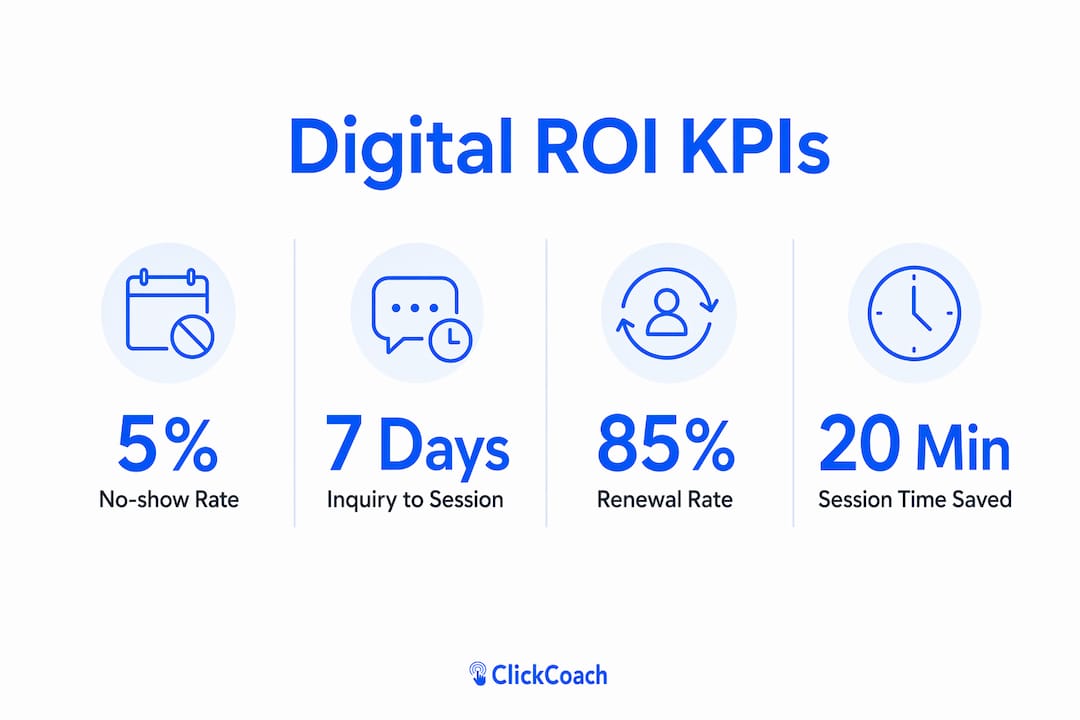
| Metric | Definition | How to measure | Sample benchmark |
|---|---|---|---|
| No-show rate | Sessions missed without notice / total scheduled | Scheduling tool report | — |
| Intake-to-first-session conversion | Inquiries that complete a first session | CRM or intake form data | — |
| Time-to-first-session | Days from inquiry to first booked session | Booking timestamps | Under 5 days with self-scheduling |
| Program completion rate | Clients who complete their contracted sessions | Session log | — |
| Renewal rate | Clients who re-engage after initial program | Billing records | Improves with AI-supported progress reports |
To run a simple pilot test, split your next ten inquiries into two groups: one goes through your automated onboarding sequence, one goes through your current manual process. Compare no-show rates and time-to-first-session after six weeks. Automated marketing funnels and faster follow-up sequences consistently improve discovery-to-close conversion for service businesses, and the same logic applies here.
AI-supported progress reporting specifically strengthens renewal conversations. When a client can see a documented arc of their own growth, the case for continuing is self-evident.
What privacy and security basics do U.S. coaches need to know?
Prioritize platforms that support clear client consent, secure data handling, and role-based access. If you work with clients who share health-related information, consider whether HIPAA implications apply to your practice and ask vendors directly about their compliance posture.
Practical security checklist:
- Encryption in transit and at rest for all client data
- Exportable client records so you are never locked in
- A documented data retention and deletion policy
- A client consent flow that captures agreement before data collection begins
- Multi-factor authentication for coach and admin accounts
- Vendor security attestations (SOC 2 or equivalent)
Pro Tip: Present your data-use policy to clients in plain language: “Your session notes and progress data are stored securely, used only to support your coaching, and never shared with third parties.” One sentence is enough. Legalese creates friction; clarity builds trust.
Transparent billing and easy receipts also function as trust signals. Clients who find payment flows confusing or opaque are more likely to disengage, and modern clients hold coaching platforms to the same UX standard as the best consumer apps they use.
This article is general information, not legal or compliance advice. Confirm your specific obligations with a qualified attorney or your state’s relevant regulatory body.
How ClickCoach puts these recommendations into practice
ClickCoach centralizes scheduling, onboarding, progress tracking, homework, and billing into one login, which is the single biggest structural change you can make to reduce administrative drag. The workflow looks like this: a new client submits an intake form, self-books their first session, receives automated reminders, gets a homework assignment after the call, and builds a progress record that you both review at renewal. Every step happens inside one system.
ClickCoach reports that consolidating session management, homework, and billing under one login can save coaches significant time per session by eliminating the context-switching that fragments coaching time across multiple apps.
That time compounds quickly across a full client roster. More practically, the progress reports ClickCoach generates give renewal conversations a concrete foundation. Instead of relying on a client’s memory of how far they have come, you walk in with documented milestones.
Key Takeaways
Digital resources improve client engagement most when they remove administrative friction first and add personalization second, making a single-login platform the fastest path to measurable results.
| Point | Details |
|---|---|
| Automate onboarding first | Intake and self-booking automation reduces no-shows and speeds time-to-first-session most reliably. |
| Use a staged 8-week rollout | Start with scheduling and reminders, then add progress tracking to minimize adoption risk. |
| Track five core KPIs | No-show rate, conversion, time-to-first-session, completion, and renewal rate tell you what is working. |
| Progress reports drive renewals | AI-supported progress documentation gives clients visible proof of growth before renewal conversations. |
| ClickCoach as your single login | ClickCoach consolidates scheduling, homework, progress tracking, and billing to save up to 20 minutes per session. |
The part most coaches underestimate about going digital
When coaches talk about adopting digital tools, the conversation almost always centers on saving time. That is real and worth pursuing. But the deeper shift is what happens to the coaching relationship when you stop spending the first ten minutes of every session reconstructing context from scattered notes and emails.
When the operational layer runs itself, you arrive at each session already oriented. You know what the client committed to, what they completed, and where they stalled. That preparation changes the quality of your listening, not just your efficiency. Clients feel it, even if they cannot name it.
The risk worth naming honestly is tech fatigue. Some clients, particularly those who are already overwhelmed, will resist another portal or another app. The answer is not to back off digital tools entirely. It is to introduce one thing at a time, explain the benefit to them specifically, and make the interface as simple as possible. AI sentiment analysis can flag language shifts that suggest a client is disengaging before they say so directly, which gives you the opening to intervene as a coach rather than react to a cancellation.
The boundary that matters most: technology handles the operational layer. You handle the human one.
ClickCoach gives you one place to run your whole practice
Most coaches do not have an administrative problem. They have a fragmentation problem. Notes in one app, scheduling in another, homework in an email thread, billing in a spreadsheet. ClickCoach solves that by putting every client interaction, from first intake to final session summary, under one login.
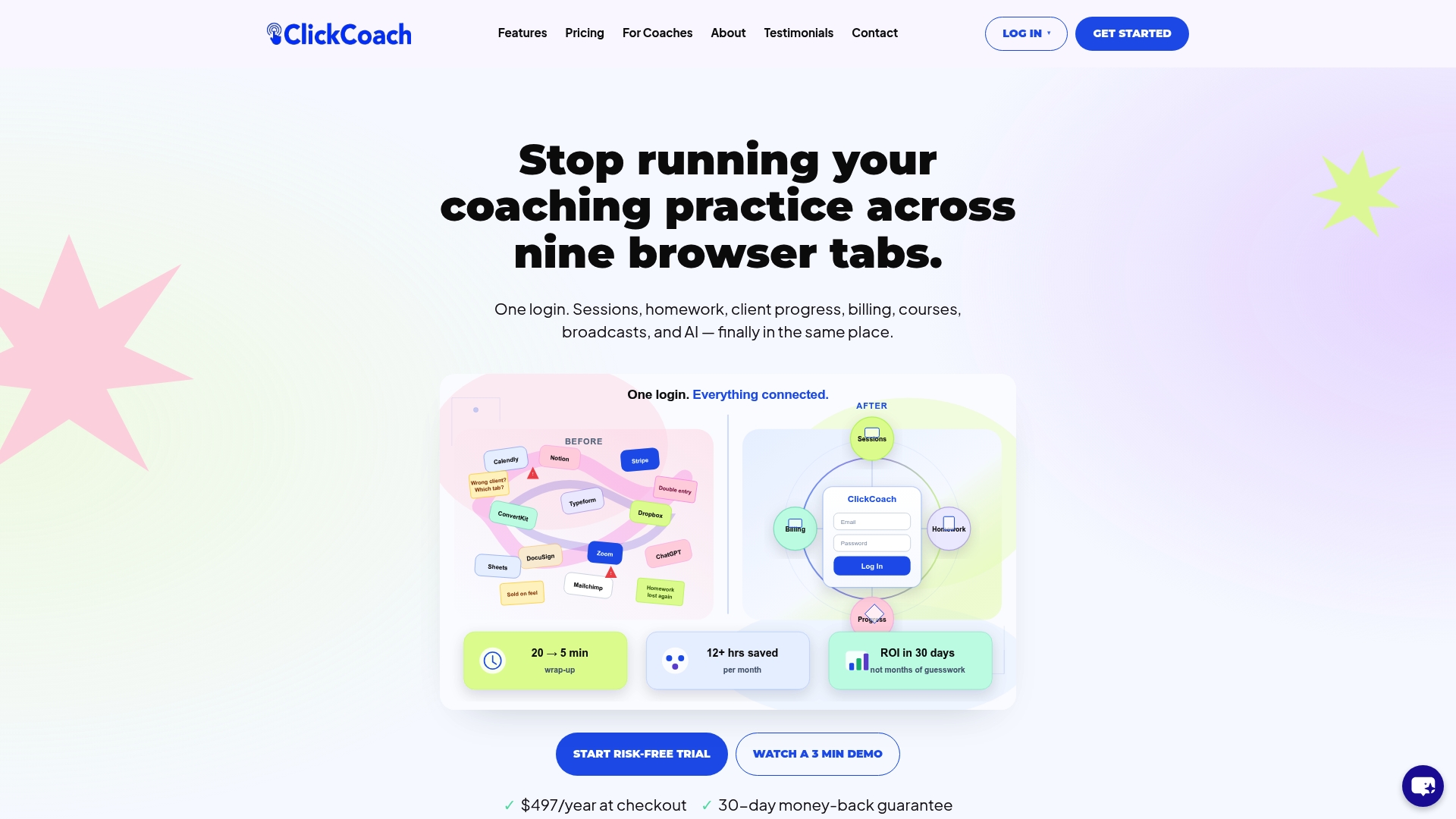
The concrete payoff: up to 20 minutes saved per session, progress reports that make renewal conversations straightforward, and a client portal that gives every client a professional, branded experience between sessions. You get the full feature set described in this article, including AI-assisted homework drafting and progress tracking, without stitching together a separate tool for each function.
Run the pilot metrics from the measurement section above for your first eight weeks. You will have the data to know whether it is working before you commit to anything long-term. Start with ClickCoach and see how much time you get back in week one.
Useful sources and further reading
- Scale Your Coaching Business With Automation — US Tech Automations: Covers ICF-aligned findings on time reclaimed through workflow automation and the ROI of onboarding and reminder sequences.
- AI CRM Management for Business Coaches — Arete: Reports cohort findings on AI-driven retention improvements and the role of progress reporting in renewal success.
- Technology in Coaching: Creating Seamless Client Experiences — PersonalCoach: Explains staged automation adoption and the UX standards modern clients apply to coaching platforms.
- Defining Digital Coaching: A Qualitative Inductive Approach — PMC: Foundational research on preserving relational standards when digitizing coaching workflows.
- Technology’s Transformative Impact on the Coaching Profession — ANHCO: Frames how technology reduces the common drag points that undermine client momentum.
- Coaches Can Unleash the Potential of Digital Business Tools — Thought Leadership Institute: Broad overview of how digital tools expand coaching reach and deepen client engagement.
- How 14 Coaches Leverage Technology in Their Practices — Forbes: Real-world examples from practicing coaches on integrating technology to improve client outcomes.
- Automated Marketing Funnels for Service Businesses and Coaches — Webmycel: Practical guidance on discovery-to-first-session conversion and pilot test design.
- How to Reduce No-Shows With Appointment Reminders — ChairFlow: Concrete reminder strategies and real-world no-show reduction examples relevant to coaching practices.