

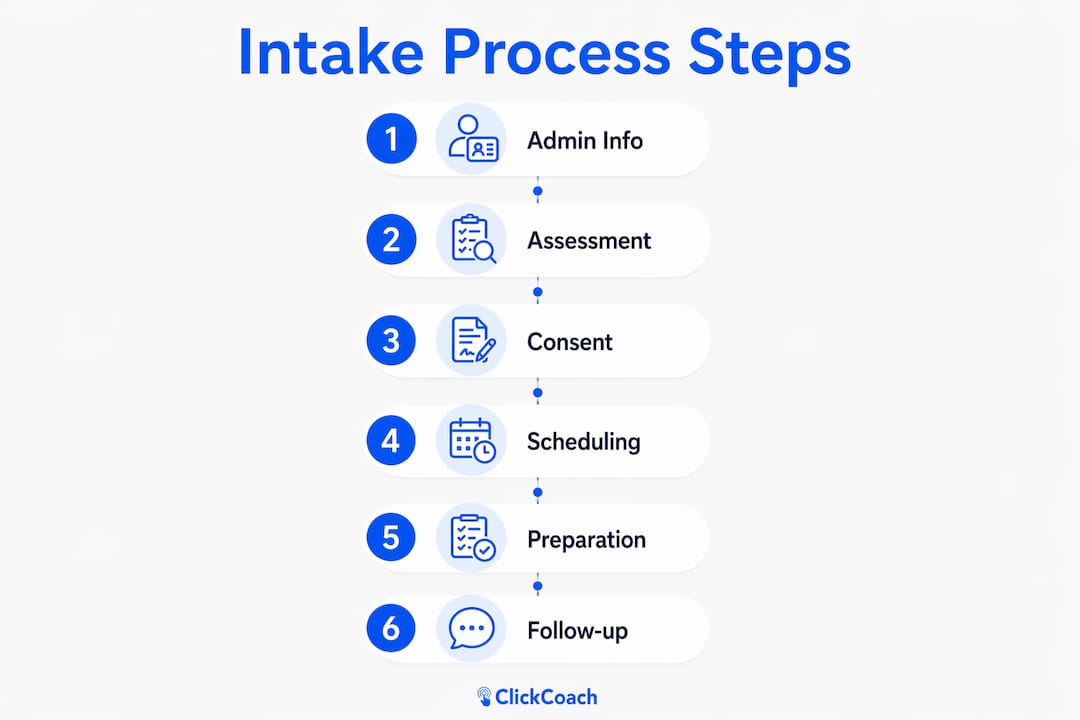
A structured coaching intake process covers six steps: admin collection, client assessment, consent and legal agreements, scheduling, pre-session preparation, and onboarding follow-up. Build it once, and every new client relationship starts with clarity instead of chaos.
Your six-step intake process at a glance:
- Admin collection: Gather contact details, billing info, and emergency contact.
- Client assessment: Ask about current situation, goals, prior coaching, and readiness.
- Consent and legal agreements: Deliver scope-of-practice disclaimer, confidentiality clause, and payment terms for signature.
- Scheduling: Confirm session length, frequency, and preferred platform.
- Pre-session prep: Review responses, flag three priorities, and draft a first-session agenda.
- Onboarding follow-up: Send a welcome email with next steps and any starter resources.
Your 10-minute action: Open a Google Form right now, add five questions (name, primary goal, biggest obstacle, readiness rating 1–10, preferred session time), and send it to your next prospective client before you close this tab.
Table of Contents
- Why a formal intake process pays off for coaches and clients
- What should every coaching intake form include?
- When should you send the intake form, and how?
- How to use intake answers to prepare your first session
- What should you never put on an intake form?
- Legal, confidentiality, and data security: what your intake must cover
- How to build and launch your intake process from zero
- Ready-to-copy intake template and niche examples
- Key Takeaways
- The intake process shift that actually changed how I coach
- ClickCoach gives you one place to run the whole intake workflow
- Useful sources and templates
Why a formal intake process pays off for coaches and clients
A defined intake process saves time, reduces admin interruptions, and produces clearer session outcomes from day one. That is the direct claim, and the evidence backs it up.

For you as the coach, the benefits are concrete. You stop spending the first 20 minutes of a paid session gathering background you could have collected in advance. Your billing and cancellation terms are documented before money changes hands, which cuts disputes significantly. You have a paper trail if a client later disputes what was agreed. And because you reviewed the intake before the session, you walk in prepared rather than reactive.
For the client, the intake signals professionalism. It tells them you take their goals seriously enough to ask about them before you meet. Clear expectations set at intake, including session length, fees, and what coaching is not, reduce anxiety and accelerate trust. Clients who understand the process from the start tend to show up more prepared and more committed.
Here is a concrete example of the payoff: a coach who sends a 10-question intake form 48 hours before a first session can spend those 60 minutes working on the client’s actual goals rather than collecting background. The intake effectively converts administrative time into coaching time.
What should every coaching intake form include?
A well-structured intake form moves from administrative data to deeper self-assessment, doubling as a diagnostic tool and a legal safeguard. The table below maps each section to its purpose and the best field type to use.
| Section | Purpose | Suggested Field Type |
|---|---|---|
| Personal information | Contact, scheduling, billing | Short text, dropdown |
| Current situation | Baseline context for coaching | Paragraph text |
| Goals and vision | Define what success looks like | Short text + rating scale |
| Prior supports | Flag therapy, prior coaching, or medical context | Yes/No + conditional follow-up |
| Readiness and motivation | Gauge commitment level | Rating scale (1–10) |
| Coaching preferences | Learning style, accountability style | Multiple choice |
| Logistics and fees | Session length, payment terms, cancellation policy | Checkbox + initials/signature |
| Consent and scope of practice | Legal protection for coach and client | Signature field |
Admin fields: the non-negotiables
Collect full legal name, preferred name, email, phone, preferred contact method, time zone, and an emergency contact. Add billing details or a payment link reference here, not buried at the end. Missing any of these creates scheduling friction before the relationship even starts.
Assessment fields: where the real diagnostic work happens
Ask about the client’s current situation in their own words, then layer in structured questions:
- “What is the single most important thing you want to change or achieve in the next 90 days?”
- “On a scale of 1–10, how ready are you to take consistent action toward that goal right now?”
- “What has stopped you from making this change before?”
- “Have you worked with a coach or therapist previously? If yes, what was most useful?”
- “What does your long-term vision look like, 1–3 years from now?”
The readiness rating is particularly useful. A client who rates themselves a 4 out of 10 needs a different first session than one who rates themselves a 9.
Logistics and fees: put it in writing here
Embedding fee structure and cancellation policy directly in the intake form, with client initials or a signature, reduces disputes later. Include session length, frequency, payment terms, accepted payment methods, cancellation notice requirements, and refund policy. Do not assume a separate invoice covers this.
Consent and scope of practice
This section carries the most legal weight. Include a clear statement that coaching is not therapy, counseling, or medical advice, and ask the client to sign acknowledging that. Full sample language appears in the legal checklist section below.
Pro Tip: Use conditional logic in your form tool so that a “yes” answer to “Have you worked with a therapist?” triggers a follow-up question about whether they are currently in active treatment. This keeps the form short for most clients while capturing critical context when it matters.
When should you send the intake form, and how?
Send the intake form at least 48 hours before the first paid session. That window gives the client enough time to answer thoughtfully rather than rushing through it in a waiting room, and it gives you enough time to review and prepare.
Here is the recommended workflow:
- Day of booking (within 1 hour): Send the intake form link via your client portal or a secure form platform, along with a brief welcome note explaining why you are asking.
- 24 hours before the session: If the form is incomplete, send one automated reminder. Keep it friendly and specific: “Your session is tomorrow, and I want to be fully prepared for you.”
- 2 hours before the session: Review completed responses, flag priorities, and finalize your first-session agenda.
- At session start: Reference two or three specific intake answers in your opening to show you read it carefully.
- Within 24 hours after the session: Send a follow-up note confirming next steps and any homework or commitments made.
For delivery, a secure client portal is the strongest option because it keeps data encrypted and creates a timestamped record. Form platforms with conditional logic and e-signature capability work well too. Avoid sending editable PDFs over plain email; they are easy to intercept and hard to track.
Two automation examples worth setting up: first, configure your booking tool so that completing a session booking automatically triggers the intake form link. Tools like ChairFlow support calendar-triggered workflows that send the form the moment a session is confirmed. Second, set your form platform so that a completed submission automatically triggers a welcome email and, if applicable, an invoice or payment link.

For non-responders, send one reminder at the 24-hour mark. If the form is still blank two hours before the session, make a quick phone call. Do not start a paid session without at least a verbal confirmation of the client’s primary goal.
How to use intake answers to prepare your first session
Review the completed intake form before the session and flag three priorities to address in session one. That single habit separates coaches who run reactive sessions from those who run outcome-focused ones.
Here is the mini-workflow:
- Read the full form once without taking notes, to get a holistic sense of the client.
- Flag red flags: anything that suggests the client needs a referral (active mental health crisis, medical issues outside your scope, unrealistic expectations).
- Identify three priorities: the client’s stated 90-day goal, their biggest stated barrier, and their readiness rating.
- Draft a three-session starter plan: session one focuses on goal clarity and commitment; session two on identifying and addressing the primary barrier; session three on building an accountability structure.
- Set a first-session agenda: write three bullet points you will cover, in order.
A quick example: a client writes that their 90-day goal is to land a new job, their biggest barrier is “I don’t know where to start,” and their readiness rating is 8 out of 10. Your first-session agenda becomes: (1) define what the ideal role looks like in concrete terms, (2) map the three most direct paths to that role, (3) agree on one action the client will take before the next session. That agenda came entirely from the intake. You did not need to spend 20 minutes asking background questions.
What should you never put on an intake form?
Avoid clinical diagnosis questions, detailed medical histories, narrowly personal financial details, and any language that implies guaranteed outcomes. These categories increase legal and ethical risk without adding coaching value.
Specific categories to leave off the form:
- Medication lists or dosage questions: This is clinical territory. If a client’s medication affects their coaching (e.g., energy levels), that conversation belongs in session, not on a form.
- Detailed trauma histories: Asking clients to write out traumatic experiences before they have built trust with you is ethically problematic and outside coaching scope.
- Banking login credentials or direct debit authorization: Payment should go through a secure payment processor, never a form field.
- Diagnostic labels: Do not ask “Have you been diagnosed with depression, anxiety, ADHD, or any other mental health condition?” That question implies clinical assessment and creates scope-of-practice risk.
- Guaranteed outcome language: Do not include questions that imply you will deliver specific results (“What results do you expect me to guarantee?”). This creates legal exposure.
What to do instead: If a client’s response suggests they need clinical support, address it in conversation and offer a referral. Keep the intake form focused on goals, readiness, and logistics. Sensitive context that emerges naturally in conversation is far safer than sensitive data collected in writing before trust is established.
Legal, confidentiality, and data security: what your intake must cover
A written scope-of-practice disclaimer combined with a signed client acknowledgment is the primary legal protection for U.S. coaches. Because coaching is generally unlicensed in the U.S., your intake paperwork and coaching contract together define the legal boundaries of the relationship. Without them, you have no documented agreement to point to if a dispute arises.
Your legal checklist
- Scope-of-practice statement: Clearly state that coaching is not therapy, counseling, or medical treatment.
- Confidentiality clause: Explain what you keep private and list the standard exceptions.
- Mandatory reporting language: Note that you are required to break confidentiality in specific circumstances.
- Limitation of liability: State that you are not liable for outcomes the client achieves or does not achieve.
- Payment and refund terms: Include session rate, payment due date, cancellation window, and refund policy.
- Termination clause: Explain how either party can end the coaching relationship.
- Client signature: Require a dated signature confirming the client has read and understood all of the above.
Sample scope-of-practice language
Sample confidentiality clause
Coaches should include explicit confidentiality clauses that list the exceptions where confidentiality may be broken: credible danger to self or others, abuse or neglect of a vulnerable person, and a court order requiring disclosure. A simple version:
Data security: the practical rules
Avoid plaintext email for transmitting intake forms. Use a secure client portal or a form platform with encryption in transit and at rest. Store signed forms behind password-protected systems with access logging.
Most coaches are outside HIPAA’s scope unless they bill insurance or sign a Business Associate Agreement with a covered entity. That does not mean data security is optional. The FTC Health Breach Notification Rule and state laws like Washington’s My Health My Data Act can still apply to coaches who collect sensitive client health information. Treat intake data with strong security practices regardless of HIPAA status.
Storing signed intake forms behind a client portal or encrypted file store with timestamped access logs provides stronger evidentiary value than unsigned emailed PDFs. If a dispute ever reaches a legal proceeding, a timestamped, signed digital record is far more defensible.
How to build and launch your intake process from zero
You can build, test, and go live in an afternoon using the steps below.
- Choose your form tool. Select a platform that supports conditional logic, e-signature, and encrypted submission. Google Forms works for basic collection; Jotform, Typeform, or a dedicated coaching platform add conditional logic and signature capture.
- Draft your questions. Use the sections and sample questions from the essential sections above. Keep the total form to 15–20 fields. Longer forms have lower completion rates.
- Add conditional logic. Set follow-up questions to appear only when triggered (e.g., prior coaching experience triggers a follow-up about outcomes).
- Insert your legal clauses. Paste your scope-of-practice statement, confidentiality clause, and payment terms. Add a signature field at the end.
- Set up automation. Connect your booking tool so a confirmed session triggers the form link. Connect form completion to a welcome email and invoice.
- Run an end-to-end test. Complete the form yourself as a mock client. Check that conditional logic fires correctly, the signature captures properly, the confirmation email arrives, and the data lands in a secure location.
- Test on mobile. A significant share of clients will complete the form on a phone. Verify every field is readable and tappable.
- Run a mock client session. Ask a colleague or trusted contact to complete the form as a test client. Use their responses to run through your pre-session prep workflow.
- Collect first real responses and iterate. After your first two or three real clients complete the form, review for questions that confused them or fields they skipped. Adjust accordingly.
Quick troubleshooting:
- No submissions: Check that the form link in your welcome email is not broken and that the form is set to public/accessible.
- Broken conditional logic: Test each trigger condition individually before going live.
- Failed automation: Verify that your booking tool and form platform are connected via a live integration, not a test mode.
- Signature not capturing: Confirm your form platform supports e-signature natively or via an integration like DocuSign.
Ready-to-copy intake template and niche examples
The template below is modular. Copy the sections you need, remove what does not apply, and adapt the questions to your niche.
COACHING INTAKE FORM
Section 1: Personal Information
- Full legal name:
- Preferred name:
- Email address:
- Phone number:
- Preferred contact method: (Email / Phone / Text)
- Time zone:
- Emergency contact name and phone:
Section 2: Current Situation
- In a few sentences, describe where you are right now in the area you want to work on:
- What is working well in your life or work at the moment?
Section 3: Goals and Vision
- What is the single most important outcome you want from coaching in the next 90 days?
- What does success look like to you one year from now?
- On a scale of 1–10, how ready are you to take consistent action toward this goal?
Section 4: Barriers and Prior Attempts
- What has stopped you from achieving this goal before?
- What approaches have you already tried?
- Have you worked with a coach or therapist previously? (Yes / No)
- If yes: What was most useful about that experience?
Section 5: Coaching Preferences
- How do you prefer to be held accountable? (Check-ins / Homework / Direct challenge / Other)
- Do you prefer structured sessions with an agenda, or open-ended conversation?
- Is there anything I should know about how you learn or communicate best?
Section 6: Logistics and Fees
- Preferred session length: (45 min / 60 min / 90 min)
- Preferred session frequency: (Weekly / Biweekly / Monthly)
- Session rate: $[rate] per session, due at time of booking.
- Cancellation policy: 24-hour notice required. Late cancellations are charged at 50% of the session rate.
- Refund policy:
- Client initials confirming they have read and agree to the above: ______
Section 7: Consent and Scope of Practice
- Client signature: ______ Date: ______
Niche variants: what to change
Career coaching: Add questions about current role, industry, years of experience, and what prompted the career change. Replace the 90-day goal question with “What role or situation do you want to be in 90 days from now?”
Wellness coaching: Add questions about sleep, energy levels, and current health habits. Include a clear disclaimer that wellness coaching does not replace medical advice. Ask about any health conditions that might affect session scheduling (not for clinical assessment, but for practical planning).
Leadership coaching: Add questions about team size, current leadership challenges, and how the client’s organization defines success. Ask about 360-degree feedback or prior leadership assessments the client has completed.
Template packs from organizations like Seven Stones Leadership bundle intake forms, welcome letters, and working agreements that can accelerate setup for new coaches.
Key Takeaways
A six-step intake process covering admin, assessment, consent, scheduling, prep, and follow-up is the fastest path to consistent, professional client onboarding.
| Point | Details |
|---|---|
| Send the form early | Deliver the intake form at least 48 hours before the first session so clients respond thoughtfully. |
| Legal clauses are non-negotiable | Include a signed scope-of-practice disclaimer and confidentiality clause in every intake form. |
| Secure storage matters | Store signed forms in an encrypted portal with access logs, not in plain email threads. |
| Use responses to prep sessions | Flag three priorities from the intake before every first session to start on outcomes, not background. |
| ClickCoach centralizes the workflow | ClickCoach replaces separate form, scheduling, billing, and notes tools under one login for coaches. |
The intake process shift that actually changed how I coach
Most coaches I talk to treat the intake form as a formality. They send a PDF, hope the client returns it, and then spend the first session asking the same questions the form was supposed to answer. That pattern is worth breaking.
The shift happens when you start treating the intake as your first coaching act. The questions you ask before session one signal your methodology, your standards, and your level of preparation. A client who receives a thoughtful, well-structured intake form before they have even met you arrives at session one already more engaged. They have reflected on their goals, rated their readiness, and committed something to writing. That is not a small thing.
ClickCoach’s approach reinforces this directly. The platform reports that coaches save up to 20 minutes per session by centralizing client notes, goals, and history in one place, which means the intake data you collect does not disappear into a folder. It stays connected to the client’s ongoing record, their homework, their progress, and their session history. The practical tweak worth copying: after your first session, add a one-paragraph summary of the client’s three priorities directly to their profile. Every future session starts with that context visible, not buried in an old email thread.
ClickCoach gives you one place to run the whole intake workflow
Running a coaching practice across five separate tools, a form builder, an e-signature app, a calendar, a billing platform, and a notes document, costs more time than most coaches realize. ClickCoach consolidates all of it under one login, so the intake form, the signed agreement, the scheduled session, the invoice, and the client’s ongoing progress record live in the same place.
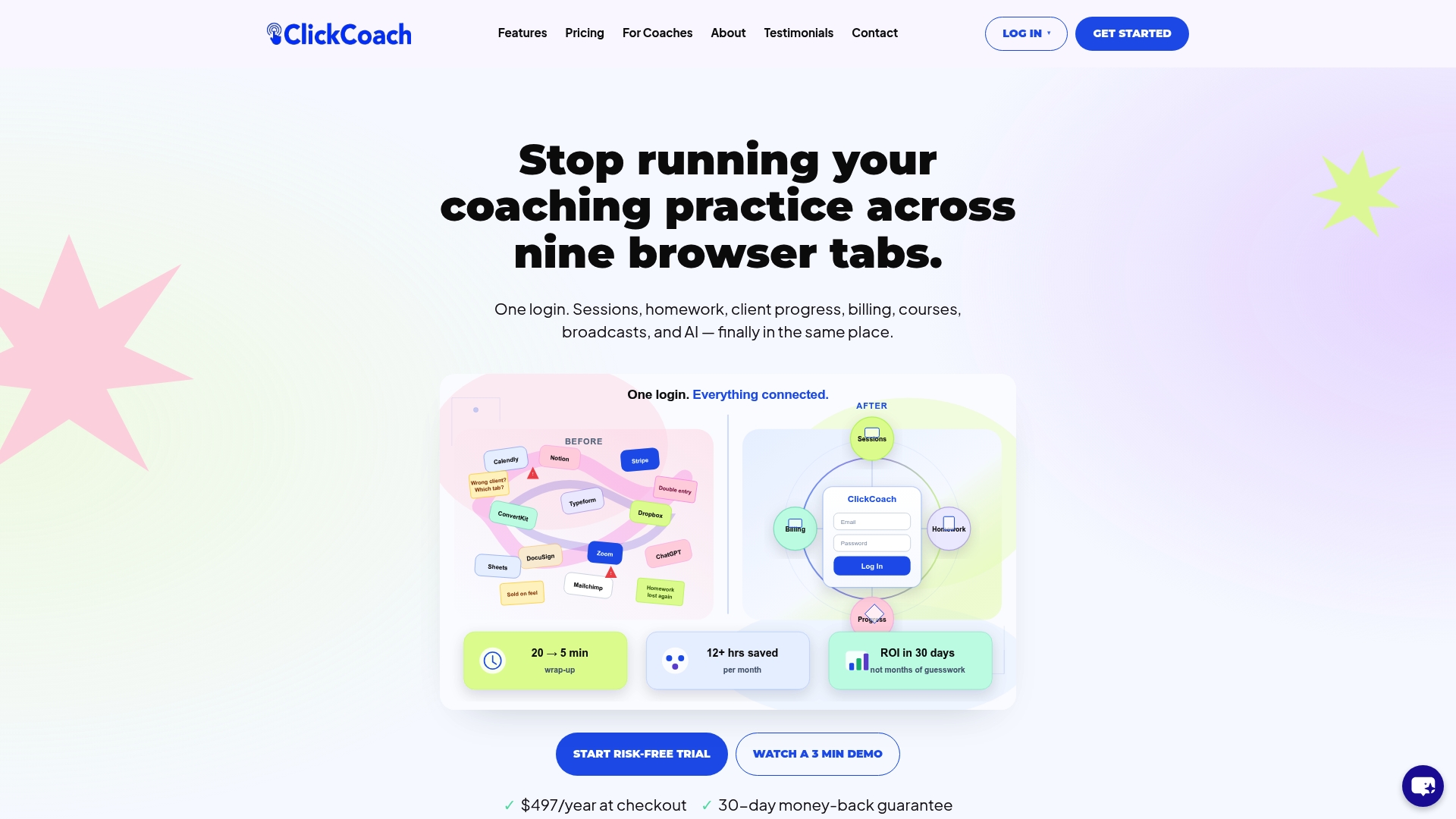
For intake specifically, ClickCoach gives you form templates you can customize by niche, a client portal where clients complete and sign their intake securely, and automation that connects form completion to scheduling and billing without manual follow-up. The AI-assisted features help you draft homework and track client progress between sessions, so the work you start at intake carries forward into every session that follows.
If you are building your intake process from scratch or replacing a patchwork of tools, start with ClickCoach and use the built-in templates to go live faster than building everything manually.
Useful sources and templates
These resources support the legal, privacy, and template guidance in this article. Review them before finalizing your intake documents, particularly the legal and privacy sections.
- FTC Health Breach Notification Rule — Explains when the FTC’s rule applies to health data collected outside HIPAA. Relevant for coaches who collect wellness or health-related intake information.
- HHS HIPAA for Professionals — The authoritative source on when HIPAA applies. Use this to confirm whether your practice triggers HIPAA obligations before claiming compliance.
- ICF Guidance and Standards — The International Coaching Federation’s professional standards, including ethical guidelines relevant to client intake and confidentiality.
- LegalClarity: Coaching Intake Form Guide — Practical legal guidance on intake form structure, scope-of-practice language, and liability waivers for coaches.
- LegalClarity: Legal Requirements for Life Coaching — Covers written contract requirements, cancellation and refund terms, and the legal risks of operating without documented agreements.
- Seven Stones Leadership Template Pack — A downloadable bundle of coaching templates including intake forms, welcome letters, and working agreements. Useful as a starting reference for new coaches.
- HIPAA Compliant Hosting: Does HIPAA Apply to Coaches? — Clarifies the HIPAA boundary for coaches and explains when secure portals and encrypted storage are the right approach.
- University of Oregon Coaching Intake Form — A real-world institutional intake form example useful for benchmarking question structure and format.
This article is general information for educational purposes, not legal or professional advice. Confirm current regulations and legal requirements with a qualified attorney or your state’s relevant authority before finalizing your intake documents.