

Managing sessions, billing, and client progress across disconnected tools creates friction for solo coaches and teams. Many products lack unified billing, progress charts, or customizable portals, so coaches must juggle multiple subscriptions or miss key features. This comparison shows pricing, workflow, and feature coverage so coaches can select a platform that matches their practice without piecework.
Table of Contents
ClickCoach
At a Glance
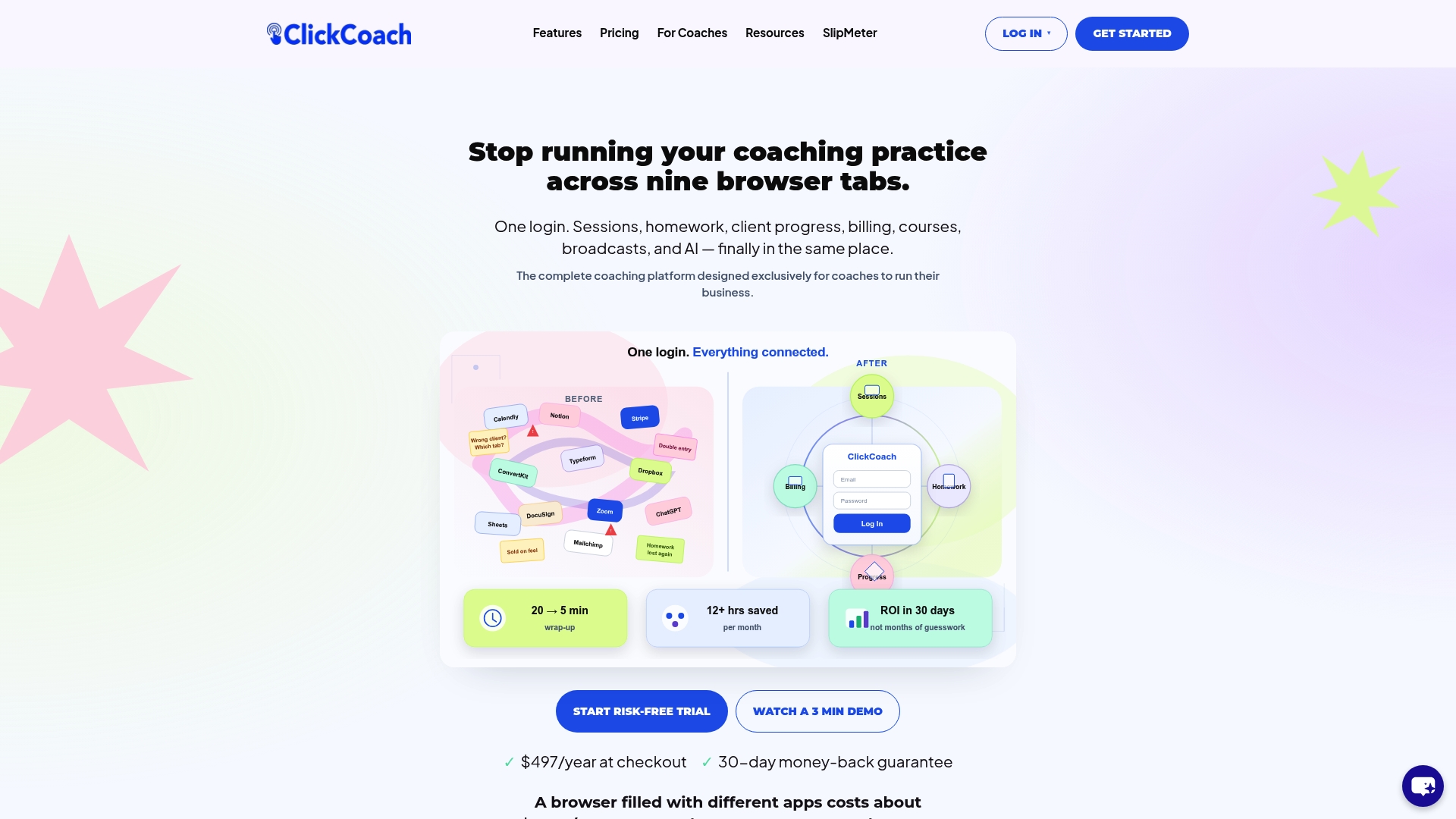
According to the company, coaches save up to 20 minutes per session using ClickCoach. The vendor reports coaches reduce admin time by 12+ hours monthly. ClickCoach bundles sessions, homework, client progress, billing, courses, and AI under one login to replace multiple separate apps.
Core Features
ClickCoach offers a unified session workspace that keeps notes, homework, and follow-up together, plus a built-in course manager and assessment tools. The platform shows client progress with visual client progress charts, exposes branded client portals for homework and invoices, and supports billing via Stripe integration and scheduling via Google Calendar. Additional features include a CRM with pipeline tracking, team accounts with permissions, file storage, and API and webhook access.
Key Differentiator
ClickCoach stands out by packaging progress visualization, workflow automation, and client-facing portals inside a single coaching operating system so coaches can consolidate tools and show measurable client progress.
Pros
The all-in-one setup removes the need for separate calendars, payment tools, course platforms, and scattered notes. At $497/year, the vendor includes unlimited clients and all core features, which can be less costly than buying several subscriptions. The platform automates session notes, homework reminders, and follow up emails, and the AI features help draft session content and client prompts. The vendor advertises a 30-day risk-free trial with a full refund guarantee, which lets you test whether that reduction in admin time fits your practice.
Cons
- Some coaches face a learning curve when importing data and adopting the integrated workflow.
Notable Integrations
- Google Calendar
- Stripe
Who It’s For
Solo coaches and small coaching teams who want to centralize client work, billing, and learning in one account. Certification providers and networks can use the multi-coach accounts and course features to run cohorts. Coaches who prefer an integrated operating workflow rather than separate best-of-breed tools will get the most value.
Unique Value Proposition
At $497/year, ClickCoach includes unlimited clients and the full feature set. That single annual fee lets practices move off multiple subscriptions and centralize billing, client portals, course delivery, and progress reporting under one login.
Real World Use Case
A solo coach runs sessions inside ClickCoach, records notes with the AI assistant, assigns homework to the client portal, and issues invoices through the same account. The coach tracks progress visually and uses those charts during renewal conversations to increase retention and referrals.
Pricing
ClickCoach lists pricing at $497/year at checkout. That price includes unlimited clients, access to all features, and no extra charges.
Website: /features/
CoachVantage
At a Glance
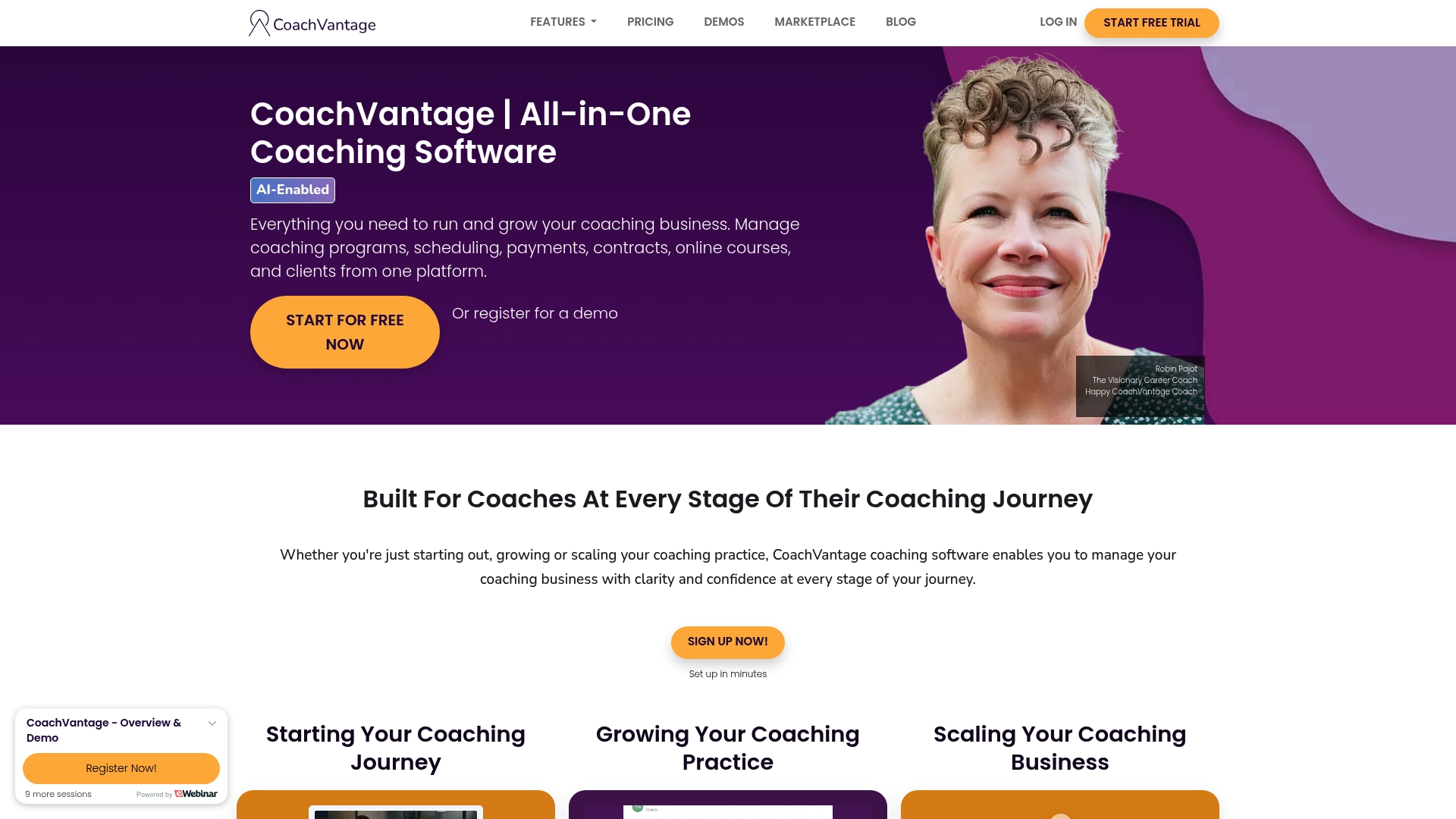
Starting price is $26/month on the Clarity Plan when billed yearly. The platform bundles client management, scheduling, payments, courses, and contracts into one product. Coaches report it aims to remove tool juggling and speed up onboarding and delivery.
Core Features
CoachVantage combines a client management CRM with scheduling that supports calendar sync and automated reminders. It handles payments and invoicing through Stripe and PayPal and includes contract creation with e-signature support. The product also supports video sessions via Zoom and Google Meet and offers tools for courses, group coaching, and program delivery.
Key Differentiator
The strongest claim is the single-pane approach to running a coaching practice. It groups program management, client-facing portals, payments, and course delivery into the same interface. That design reduces context switching for coaches who run multiple formats from one business.
Pros
Setup and first use are straightforward, so coaches can launch quickly without deep technical experience. The platform covers the full client lifecycle from onboarding through payment collection and course delivery. Support resources and onboarding help are available, and branded client portals let coaches present a professional client experience.
Cons
- Lacks native SMS or texting support, which limits direct mobile outreach for clients who prefer texts.
- Not built for very large coaching teams or enterprise structures, so growth-stage practices may outgrow it.
- Some advanced features require a learning period or vendor support to use effectively.
When It May Not Fit
If you rely on SMS for reminders and client check ins, this platform will feel incomplete. Large teams with complex permission structures may need an enterprise-grade system instead. If you expect every advanced feature to be obvious immediately, plan for a short onboarding phase.
Notable Integrations
CoachVantage connects to common video, payment, and calendar tools to reduce manual steps. It integrates with Zoom, Google Meet, Stripe, PayPal, Google Calendar, and Outlook Calendar.
Who It’s For
Solo coaches and small practices that run a mix of one on one, group, and course-based offerings will get the most value. Coaches who want branded client portals and consolidated billing workflows will find this useful. It also suits professionals scaling from part time to full time who need fewer separate apps.
Real World Use Case
A life coach uses CoachVantage to onboard new clients with contracts and forms, schedule recurring sessions, and accept payments without chasing invoices. The coach delivers a six-week group course inside the same account and runs live Zoom sessions linked to calendar invites. This setup cuts administrative steps and leaves more time for session prep.
Pricing
Plans start at $26/month for the Clarity Plan when billed yearly. A fuller feature tier called Aha! Plan starts at $44/month, billed yearly. Both plans use monthly pricing shown as yearly billing rates on the vendor site.
Website: https://coachvantage.com
Simply.Coach
At a Glance
The vendor states SOC2, HIPAA, and GDPR compliance, and that claim signals a focus on privacy and regulated environments. Paid plans start at $9/month, which targets solo practitioners who need low-cost access. The platform also advertises scheduling, invoicing, and digital coaching tools suited to teams and institutions.
Core Features
Simply.Coach centralizes client management, goal tracking, and session workflows while automating contracts and invoicing. The platform links to calendars and video providers so you can schedule and run sessions without juggling separate apps. It also includes client workspaces, feedback and reflection tools, nudges for behavior change, and encrypted data storage.
Key Differentiator
The product positions security and compliance as a primary selling point for coaching and training programs. That emphasis makes it appealing to learning and development teams, corporate coaching programs, and any practice that must meet privacy controls or institutional procurement requirements.
Pros
The platform combines scheduling, billing, and client workspaces in a single interface, which reduces tool switching for multi-coach teams. Integrations with Google Calendar, Outlook, Zoom, and Microsoft Teams let sessions and reminders sync automatically. Customer support and onboarding assistance are highlighted as strengths, and the vendor markets strong data protection and privacy controls for regulated settings.
Cons
-
Occasional user interface clunkiness that slows day-to-day navigation for new users.
-
Limited advanced backend customization, which frustrates tech-savvy administrators wanting deeper control.
-
Variability in support experiences, with some users reporting delays or inconsistent help.
-
Scheduling may struggle with complex, long-term booking patterns across multiple coaches.
When It May Not Fit
If you need deep customization of workflows or database structures, this product may feel restrictive. Practices that depend on complex, multi-month booking patterns could outgrow the scheduling features. Organizations seeking a highly customizable backend or very specific calendar workflows should evaluate those gaps before committing.
Notable Integrations
Simply.Coach connects to Zoom, Microsoft Teams, Google Calendar, and Outlook/Office 365, allowing session links and calendar events to sync across common meeting tools and calendars.
Who It’s For
Solo coaches who want low-cost access to scheduling, invoicing, and client workspaces will find the entry plan attractive. Small to large coaching organizations and L&D teams that must meet privacy and compliance needs also fit the platform profile. Training programs that need centralized program administration benefit from its institutional focus.
Real World Use Case
A solo executive coach can run global sessions while automating invoicing and contract delivery, freeing time for client work. A corporate learning team can manage cohorts, assign resources to participants, and require compliant data handling across programs.
Pricing
Paid plans start at $9/month for solopreneurs, with tiered upgrades and custom enterprise options for larger teams. The vendor frames pricing around seat counts and organizational needs rather than one flat fee.
Website: https://simply.coach
Profi
At a Glance
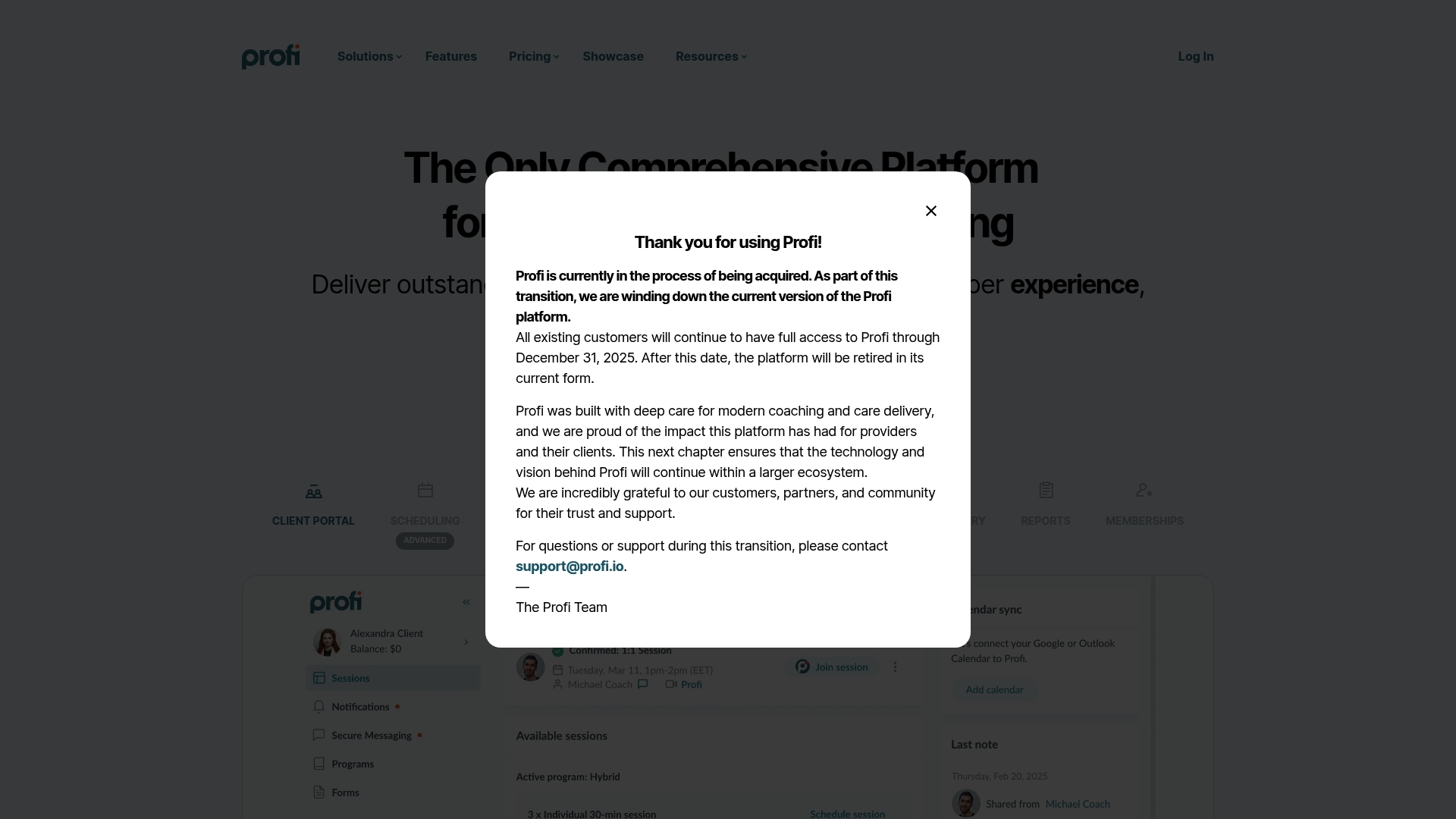
Profi is currently moving into a larger ecosystem because it is in an acquisition process. Profi’s marketing materials describe the product as highly rated for ease of use, feature completeness, and personalized support. That combination appeals to practices that need a single system for scheduling, sessions, billing, and courses.
Core Features
Profi combines calendar management with two-way syncing, automated reminders, and built-in video conferencing that supports recordings. The platform includes a CRM with session notes and messaging, plus automated intake forms and e-signatures for client paperwork. You can build and sell programs, courses, and packages while handling subscriptions and billing inside the same account.
Key Differentiator
Profi aims to replace multiple disconnected tools by offering end-to-end functionality across scheduling, telehealth, client records, content delivery, and billing. The vendor positions the product to scale from solo practitioners to large organizations. That focus on a single-pane operating workflow sets Profi apart from narrower point solutions.
Pros
Profi provides an integrated toolset that reduces the need to manage separate calendar, video, payment, and course platforms. The interface is reported to be intuitive for coaches, admins, and clients, which lowers onboarding friction and client friction. Reliable customer support and robust program creation plus built-in billing make it easier to sell subscriptions and packages without glue software.
Cons
- Limited branding customization for some users. This limits white-label needs for practices that want full visual control.
- Minor gaps in assessment and reporting features. Teams that rely on advanced analytics may need supplemental reporting tools.
- Occasional delays in customer support resolution, according to third-party reviews. Larger organizations with strict SLAs may find response times uneven.
When It May Not Fit
If you require deep visual branding across client portals, Profi’s customization options may feel constrained for some plans. Practices that need advanced assessment workflows or multi-source analytics could find feature gaps. Organizations that demand guaranteed rapid support responses should verify service level details before committing.
Notable Integrations
Profi connects with common calendar and payment systems to reduce manual work. Notable integrations include Google Calendar and Outlook Calendar for appointment syncing, plus Stripe for payments. The vendor also lists EHR system connections as planned or available for practices that need clinical record interoperability.
Who It’s For
Profi fits coaches, health practitioners, and small clinics that want one platform to run appointments, virtual sessions, client records, and courses. The product also targets multi-provider practices and organizations that expect to scale without stitching several apps together. Solo coaches who want built-in billing and course delivery will find the feature mix helpful.
Real World Use Case
A health and wellness coaching practice uses Profi to manage bookings across three coaches, run virtual consultations, and host a multiweek program. The team keeps session notes and client messages in the same client record. Billing and recurring subscriptions are handled inside Profi, which reduces manual reconciliation.
Pricing
Pricing starts at $49/mo for the Solo plan and grows into Team, Business, Enterprise, and Network tiers as needs expand. The vendor lists tiered pricing for larger organizations and networked practices. Contact sales for enterprise quotes and volume pricing.
Website: https://profi.io
Vibly
At a Glance
Starting at $20/month after a 14-day free trial, Vibly targets solo coaches through enterprise teams. The platform pairs AI tools for session summaries and resource recommendations with client portals and billing. According to the company, Vibly includes HIPAA compliance for secure messaging and client records.
Core Features
Vibly bundles profile pages, custom packages, session notes, scheduling, video conferencing, secure messaging, client portals, and payment processing into one platform. Its AI features generate session summaries, suggest resources, and surface client insights. Plans scale from solo coaches to enterprise with automation, multi calendar sync, workflow customization, and role based permissions, plus white label options.
Key Differentiator
Vibly stands out for combining AI coaching assistance with configurable workflows and enterprise grade privacy controls. That blend targets both independent practitioners and larger wellness programs that want one platform to handle bookings, notes, billing, and client communication.
Pros
The interface is intuitive compared with generic website schedulers, which lowers setup time for new coaches. The product offers a wide set of coaching specific tools and built in support for payments, client portals, and automated tasks. It also provides white label branding and role based permissions for networks and enterprise buyers, and a support community for onboarding and best practices.
Cons
-
Relies heavily on email notifications, which may not suit coaches who prefer SMS or app first alerts.
-
Some users find client interaction features limited for highly niche coaching formats.
-
Advanced automation and deep integrations are still evolving and may be constrained for complex workflows.
When It May Not Fit
If your practice depends on SMS first notifications or push alerts, Vibly’s email focused workflow may slow adoption. Teams that need extensive third party integrations or mature automation engines could find the current feature set limiting. Large enterprises requiring bespoke automation should plan for custom work or a longer ramp while features mature.
Who It’s For
Coaches, wellness practitioners, and health organizations that need a single platform for bookings, secure messaging, session documentation, and billing will find Vibly relevant. It fits teams that value built in privacy controls and customizable workflows. Organizations that want white label portals for networks will also find the platform appropriate.
Real World Use Case
A small coaching practice consolidated its website scheduler, payment processor, and shared drive into Vibly. The team uses AI generated session summaries to reduce manual note time and the client portal to share homework and billing. That setup reduced tool switching and kept client records in one secure location.
Pricing
Plans start at $20/month after a 14-day free trial, with tiered offerings for solo coaches, teams, and enterprise. Custom pricing is available for large organizations that need white label or bespoke onboarding.
Website: https://vibly.io
Comparison of alternatives
Integrating software into a coaching business involves analyzing tradeoffs in areas such as user-friendliness, feature sets, and specific audience needs. Here’s how five platforms compare along these lines.
Balancing simplicity with depth
ClickCoach excels in providing an all-in-one platform integrating critical coaching tools, reducing reliance on separate applications for billing, notes, and scheduling. However, while offering extensive integrations, Vibly and Profi present stronger adaptability for enterprises, including deep white-labeling features and scalable permissions.
Specific focus on compliance
For coaching businesses requiring strict data compliance, Simply.Coach emphasizes SOC2, HIPAA, and GDPR adherence. This focus makes it suitable for serving high-security standards like corporate training programs or health-coaching firms that must ensure sensitive information’s security.
Best fit
- Solo coaches and small teams looking for centralized operations will find ClickCoach beneficial due to its inclusive feature set at a flat fee.
- Coaches who prefer intuitive onboarding with branded client portals and usability tuning may lean towards CoachVantage.
- Organizations necessitating compliance with regulations like HIPAA should choose Simply.Coach for its strong focus on security measures.
- Practices prioritizing customizable workflows and AI-generated insights will benefit from the adaptability of Vibly.
Our pick
ClickCoach emerges as the ideal platform for coaching professionals who value streamlined workflows and transparent pricing set at $497/year. It uniquely integrates critical tools such as billing, course management, and visual progress tracking under a single login, tailored for small or solo practices. However, practices needing strong compliance or scalability might explore Simply.Coach or Vibly.
Evaluate the coaching platforms below based on features, pricing, and user focus to determine the most suitable option for your practice.
| Product | Key Features | Pricing | Best For | Notable Limitation |
|---|---|---|---|---|
| ClickCoach | Integrated coaching tools and client portals | $497/year | Solo coaches and small teams | Initial learning curve when integrating workflows |
| CoachVantage | Client management, scheduling, payment tools | $26/month | Solo coaches scaling to full practice | Lacks native SMS support for client communication |
| Simply.Coach | High compliance standards, team support | $9/month | Privacy-focused practices and learning teams | Occasional navigation clunkiness |
| Profi | CRM, calendar sync, and course sales | $49/month | Multi-provider and scaling coaching organizations | Limited branding customization options |
| Vibly | AI-driven tools and secure client messaging | $20/month | Wellness practitioners and enterprises | Heavy reliance on email-based notifications |
What Challenges Do Coaches Face With Multiple Coaching Tools?
Managing client sessions, billing, homework, and progress tracking across separate apps can slow down solo coaches and small teams. Juggling these tools takes time away from what matters most: coaching and client growth. ClickCoach offers an all-in-one platform that unites these tasks under one login. Coaches save up to 20 minutes per session and reduce admin hours by 12 or more each month.
ClickCoach provides branded client portals, AI-powered homework drafting, and visual progress charts. You get a single solution built for coaches who want to consolidate multiple apps into one operating workflow. Learn how ClickCoach can simplify your practice and help keep your clients engaged by visiting ClickCoach.
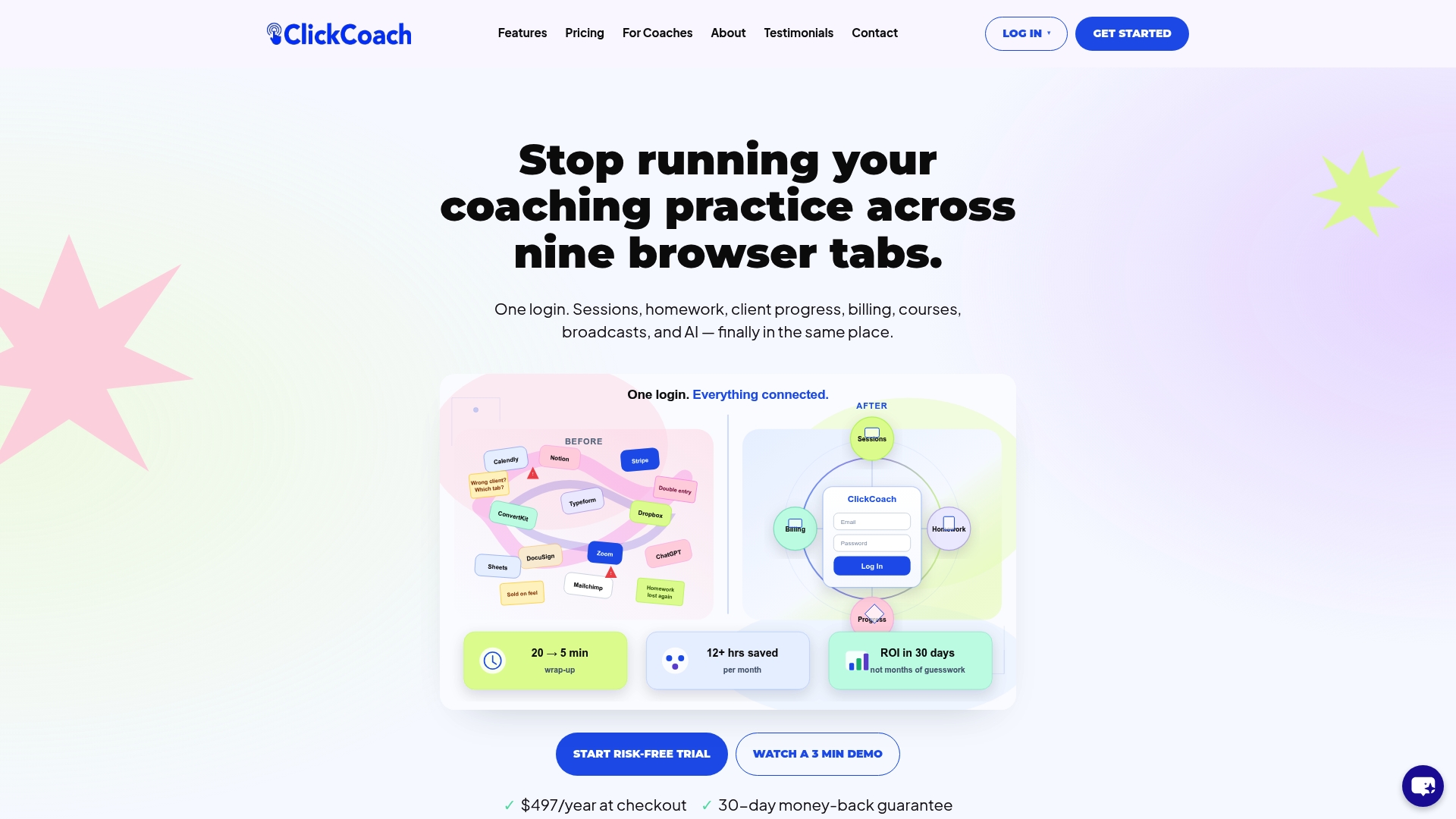
Reduce your coaching workload now. Visit ClickCoach to save time with bundled session management, billing, and client tracking all in one platform.
FAQ
How does ClickCoach improve time efficiency in coaching sessions?
ClickCoach saves coaches up to 20 minutes per session by simplifying the management of client progress and administrative tasks. This efficiency is achieved through its bundled features for sessions, homework, and billing in one login. Coaches can expect to focus more on client interactions instead of paperwork.
What is the difference between ClickCoach and CoachVantage?
CoachVantage offers a simplified approach to client management, scheduling, and payments, making it easy for coaches to onboard clients quickly. ClickCoach, meanwhile, stands out by integrating progress visualization and workflow automation, creating a more comprehensive coaching operating system tailored for coaches looking to track measurable client progress.
Which platform offers the best billing options for coaching practices?
ClickCoach includes billing management through Stripe integration, which allows coaches to handle payments seamlessly alongside other features. This integration simplifies the financial aspects of running a coaching business, making it easier for coaches to manage client invoices efficiently.
Can I scale my coaching practice with ClickCoach?
Yes, ClickCoach is particularly suitable for solo coaches and small teams that want to consolidate their client work management into one platform. Rapid growth is supported by its capability to handle unlimited clients for $497/year, making it a cost-effective solution as your practice expands.
What makes ClickCoach a good choice for visual client progress tracking?
ClickCoach provides visual client progress charts that visually represent client development over time, making it easier for coaches to showcase improvements during sessions. This feature helps maintain client engagement and satisfaction, particularly during renewal discussions.