

A coaching business organization checklist is a structured set of systems and processes designed to keep client management, delivery, and operations running without chaos. Most coaches who burn out within their first two years do so because they built their client load before they built their systems. The realistic timeline for generating sustainable coaching income is 9 to 18 months. That window is exactly when foundational systems matter most. This guide walks you through every critical checkpoint, from legal setup to automation, so your practice grows on solid ground.
1. What should a coaching business organization checklist include?
A coaching business organization checklist covers five core systems: client onboarding, lead and inquiry management, content and marketing, time and task management, and financial tracking. Building these systems intentionally, not perfectly, is what separates coaches who scale from coaches who stall. Each system handles a specific operational area so nothing falls through the cracks when your client load grows.
Here is what each system covers:
- Client onboarding system: Standardizes the first 48 hours of every new client relationship with contracts, intake forms, and welcome materials.
- Lead and inquiry management: Tracks every prospect from first contact to signed agreement so no potential client is lost.
- Content and marketing system: Maintains consistent visibility through scheduled content, email sequences, and outreach without requiring daily improvisation.
- Time and task management: Protects your focus by batching similar tasks and setting clear boundaries around coaching hours.
- Financial tracking system: Monitors income, expenses, and cash flow so you always know where your business stands.
These five systems prevent the reactive, ad-hoc work patterns that cause burnout. When each area has a defined process, you spend your energy coaching, not firefighting.
Pro Tip: Start each system at 70% complete and refine it with real client data. A working system beats a perfect plan that never launches.

2. How to implement a client onboarding checklist that boosts retention
Inconsistent onboarding is one of the strongest drivers of early client churn. A structured onboarding process sets the professional tone and builds client confidence from day one. The standard benchmark is a welcome call within 24 hours of signing and delivery of initial program materials within 48 hours.
Your client onboarding checklist should follow this sequence:
- Send a welcome message within one hour of contract signing. Keep it warm, specific, and brief.
- Deliver the contract for e-signature through a document tool like DocuSign or HelloSign.
- Send the intake form to gather client goals, history, and communication preferences before the first session.
- Schedule the kickoff call within 24 hours. Use a scheduling tool to eliminate back-and-forth emails.
- Deliver initial resources within 48 hours. This could be a welcome packet, program guide, or first homework assignment.
- Set communication rules clearly. Specify your response window, approved check-in formats, and what counts as an urgent matter.
- Confirm the full session schedule so the client knows exactly what to expect for the program duration.
Ad-hoc communication wastes significant time for both coach and client. Setting upfront communication rules during onboarding reduces confusion and protects your schedule. A well-designed client welcome packet covers most of these steps in a single branded document.
Pro Tip: Record a short video welcome message instead of writing a long email. Clients remember faces, not paragraphs, and it builds trust faster.
3. What legal and financial setup steps belong on your checklist?
Legal and financial setup is the part most coaches delay, and that delay creates real risk. The IRS treats a single-member LLC as a disregarded entity by default, which means your personal assets are exposed unless you have a proper operating agreement in place. Even solo coaches need that document.
Your legal and financial setup checklist should cover:
- Choose your legal entity. Most coaches start with a sole proprietorship or single-member LLC. An LLC provides liability separation that a sole proprietorship does not.
- Draft an operating agreement. This document defines ownership, decision-making authority, and profit distribution, even if you are the only member.
- Open a dedicated business bank account. Mixing personal and business funds from day one creates accounting problems and weakens your legal protections.
- Create a client agreement. Every client engagement needs a signed contract covering scope of work, payment terms, cancellation policy, and confidentiality.
- Set up bookkeeping. Use accounting software like QuickBooks or Wave to track income and expenses from your first paid client.
- Choose a payment processor. Stripe and PayPal are the most common options for coaches. Both support recurring billing for retainer-style programs.
| Setup Task | Priority | Timing |
|---|---|---|
| Register legal entity | High | Before first paid client |
| Open business bank account | High | Same week as registration |
| Draft operating agreement | High | Within 30 days of forming LLC |
| Create client agreement template | High | Before first discovery call |
| Set up bookkeeping software | Medium | First month of operation |
| Configure payment processor | High | Before first invoice |
Financial clarity is not optional at scale. Coaches who track income from the start make better pricing decisions and avoid tax surprises.
4. What technology tools should your coaching business setup checklist prioritize?
The right tools reduce manual work without adding complexity. Automating appointment scheduling with tools like Calendly or Acuity saves approximately 6 hours per week. That time goes directly back into coaching or business development.
Your technology checklist should include these categories:
- Scheduling tool: Calendly or Acuity eliminates the back-and-forth of manual appointment setting and syncs with your calendar automatically.
- CRM or client tracking: A basic CRM tracks prospect status, session notes, and follow-up tasks so nothing is forgotten between calls.
- Automation platform: Zapier or Make connects your scheduling, email, and payment tools. Connecting these systems produces 3 to 5 times the efficiency of manual methods.
- Email templates and sequences: Pre-written templates for onboarding, session reminders, payment requests, and follow-ups save hours each week.
- Document and contract tool: DocuSign or a similar platform handles e-signatures and stores signed agreements securely.
- All-in-one coaching platform: Centralizing session management, billing, homework, and client progress tracking under one login removes the friction of switching between multiple apps.
ClickCoach brings session management, billing, client progress tracking, and homework assignments into a single platform. Coaches using ClickCoach report saving up to 20 minutes per session by eliminating the administrative overhead that scattered tools create.
Pro Tip: Build your automation flows once you reach 80% of your client capacity, roughly 12 to 15 active clients. At that point, reducing admin load by 30 to 40 percent has a measurable impact on your weekly schedule.
5. How to maintain and refine your checklist for sustainable growth
A checklist that never gets updated becomes a liability. Most coaching SOPs fail because they describe what to do but leave out the decision rules that tell a coach or team member what to do when something unexpected happens. Decision rules are what make a system actually usable.
Effective SOP maintenance follows a clear rhythm. Schedule a monthly review of your onboarding and communication systems to catch gaps before they affect clients. Quarterly, audit your financial tracking and marketing systems for accuracy and relevance. Annually, review your legal documents, pricing structure, and overall operating workflow.
When you bring on a virtual assistant or collaborator, assign clear ownership for each SOP. Specify who triggers each process, who completes it, and who to escalate to when a decision falls outside the checklist. Decision rules in SOPs empower collaborators to maintain consistent client quality without requiring your constant oversight.
| System | Review Frequency | Owner | Focus Area |
|---|---|---|---|
| Client onboarding | Monthly | Coach or VA | Completion rate, client feedback |
| Communication protocols | Monthly | Coach | Response time, format adherence |
| Financial tracking | Quarterly | Coach or bookkeeper | Accuracy, cash flow trends |
| Marketing and content | Quarterly | Coach or content lead | Consistency, lead generation results |
| Legal documents | Annually | Coach and attorney | Contract terms, entity compliance |
Use a simple 1 to 5 rating to score each system after every review. A score below 3 triggers an immediate revision. This approach keeps your systems useful rather than decorative.
Key takeaways
A coaching business organization checklist works because it replaces reactive, ad-hoc decisions with repeatable systems that protect your time and client experience.
| Point | Details |
|---|---|
| Build systems before capacity peaks | Start your core systems at 70% client load to prevent burnout and operational chaos. |
| Onboard within 24 to 48 hours | A welcome call within 24 hours and materials within 48 hours directly reduce early client churn. |
| Legal setup protects your practice | An operating agreement and business bank account are non-negotiable from day one. |
| Automation multiplies your output | Connecting scheduling, CRM, and payment tools produces 3 to 5 times the efficiency of manual work. |
| SOPs need decision rules to work | Checklists without decision rules fail when unexpected situations arise. |
Why I think most coaches build their checklist in the wrong order
Coaches almost always start with marketing. They build a website, post on social media, and run discovery calls before they have a single system in place. Then their first five clients arrive and everything becomes chaos: missed follow-ups, inconsistent onboarding, invoices sent late, and sessions that run over because there is no structure.
The uncomfortable truth is that your checklist should be built before you need it. Systems feel unnecessary when you have two clients. They feel critical when you have twelve. By then, retrofitting a process around active client relationships is far harder than building it in advance.
The coaches I have seen scale without burning out share one habit: they treat system-building as part of their coaching work, not a distraction from it. They document their onboarding steps after the first client, refine their communication rules after the second, and automate their scheduling after the fifth. Each client teaches them something about their process.
The goal is not a perfect checklist. The goal is a living document that gets better every month. Start with the five core systems, run them imperfectly, and improve them with real data. That approach builds a practice that lasts.
— Mitch
How ClickCoach fits into your coaching business setup
Running a coaching practice across five different apps creates friction that slows you down and frustrates your clients. ClickCoach was built to solve exactly that problem.
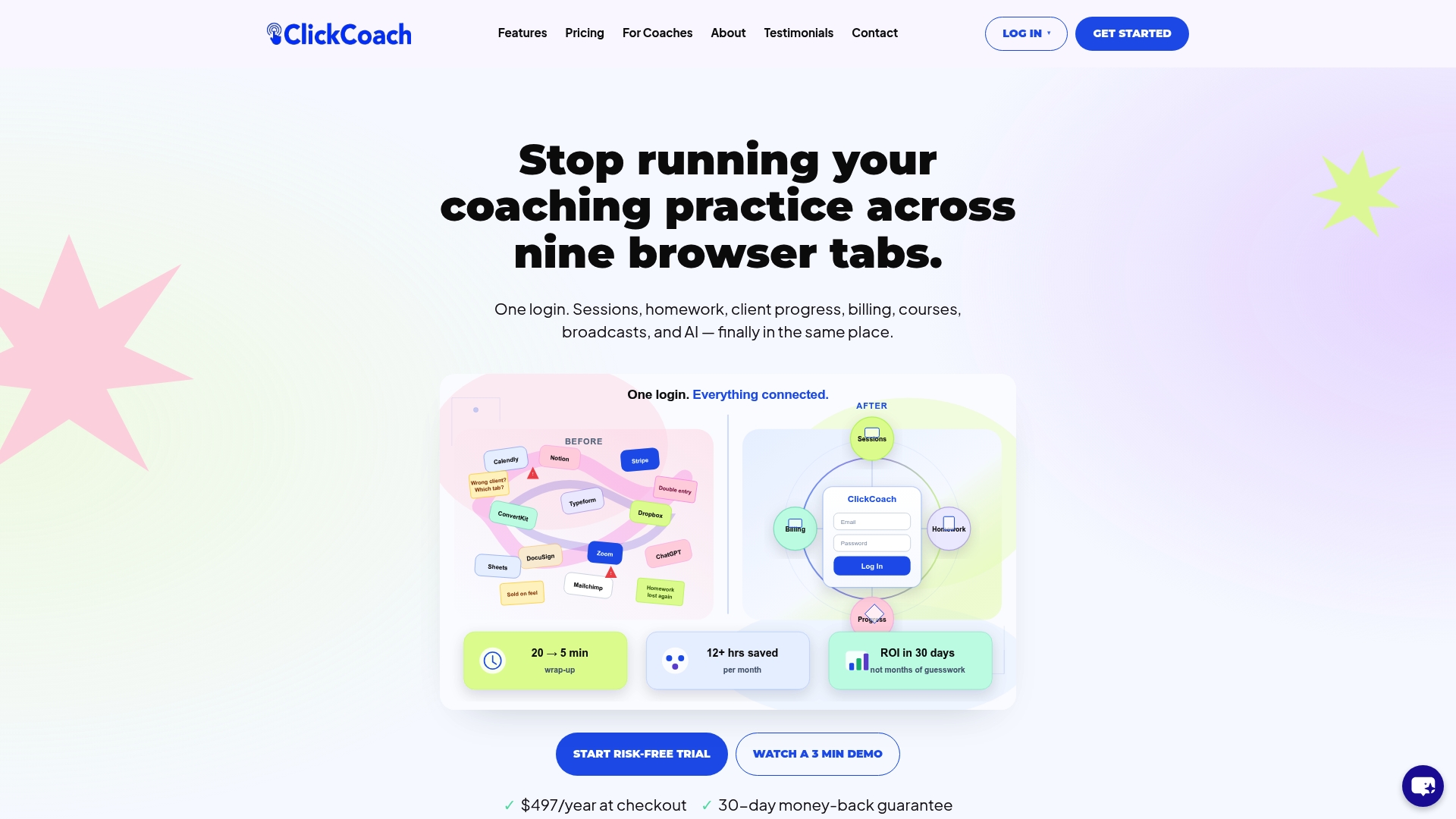
ClickCoach unites session management, billing, client progress tracking, and homework assignments under one login. Coaches save up to 20 minutes per session by eliminating the switching and manual data entry that scattered tools require. The platform’s AI assists with drafting homework and tracking client progress, so you spend more time coaching and less time on administration. Whether you are launching your first program or managing a full client roster, ClickCoach gives your practice the structure it needs to grow without the chaos.
FAQ
What is a coaching business organization checklist?
A coaching business organization checklist is a structured set of systems covering client onboarding, lead management, marketing, time management, and financial tracking. It gives coaches a repeatable process for every operational task so nothing is handled ad-hoc.
When should I start building my coaching business systems?
Start building your core systems before you reach full client capacity. The best time to implement automation and SOPs is when you have roughly 12 to 15 active clients, which is when administrative load starts to affect your coaching quality.
What legal steps are required to launch a coaching business?
At minimum, you need a legal entity, an operating agreement, a dedicated business bank account, and a signed client agreement for every engagement. The IRS classifies a single-member LLC as a disregarded entity, so the operating agreement is what provides personal liability protection.
How does onboarding affect client retention?
Delivering a welcome call within 24 hours and program materials within 48 hours of signing significantly reduces early client churn. Structured onboarding sets clear expectations and builds the client confidence that keeps people engaged through the full program.
What is the fastest way to reduce admin time in a coaching practice?
Automating appointment scheduling with a tool like Calendly eliminates roughly 6 hours of manual scheduling per week. Connecting your scheduling, CRM, and payment tools through an automation platform like Zapier produces 3 to 5 times the efficiency of handling each task manually.