

If you’re searching for coachautomator.com alternatives, the short answer is this: ClickCoach is the recommended direct replacement for coaches who want one login covering sessions, billing, client portals, AI homework drafts, and team management. Beyond that, the right alternative depends on your primary bottleneck.
Here’s the practical shortlist by category:
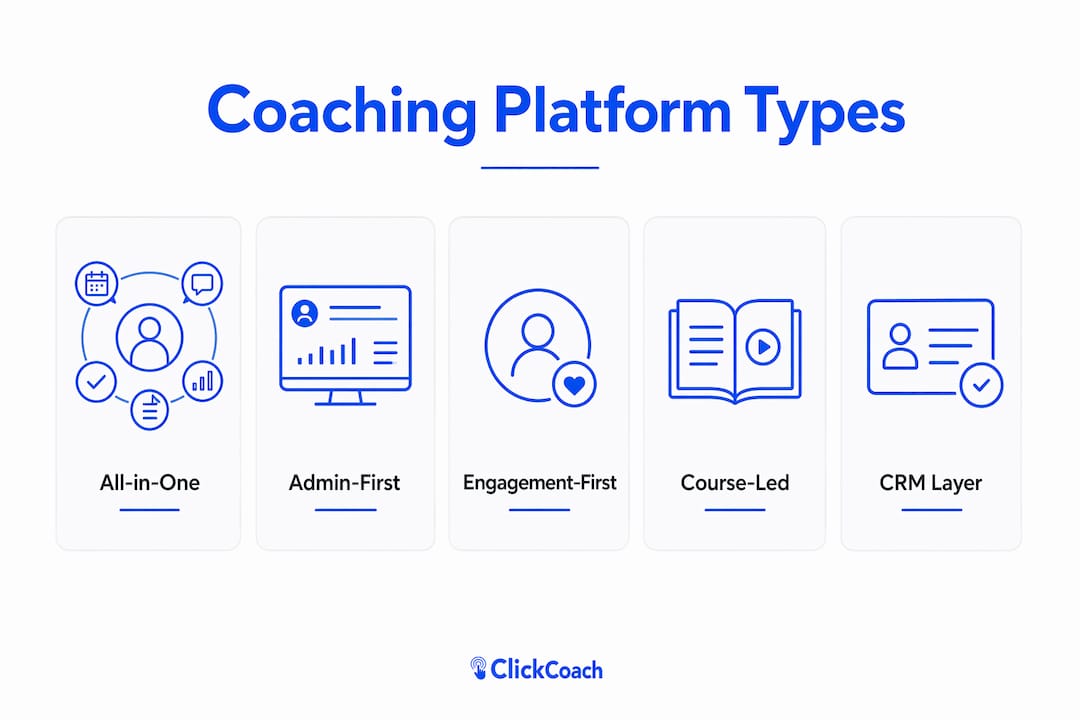
- All-in-one practice managers (ClickCoach, CoachAccountable, CoachVantage): Best for solo and multi-coach practices that need scheduling, billing, progress tracking, and client portals under one roof. ClickCoach is the direct replacement pick.
- Admin-first platforms (Paperbell): Best for solo coaches whose main pain is selling packages and automating contracts, not deep between-session engagement.
- Engagement-first platforms (TrueCoach, Upcoach): Best for coaches whose clients need structured activity libraries, automated pathways, and a strong mobile experience between sessions.
- Course-led platforms: Best for coaches scaling beyond 1:1 into memberships, cohorts, and digital products.
- CRM and orchestration layers (Delenta, Practice): Best for practices already running multiple best-in-class tools that need a connecting layer for pipeline and client journey management.
- Budget or lightweight stacks: Best for coaches with a small active roster who don’t yet need a full platform.
For solo practices, an all-in-one practice manager almost always wins on total cost and setup speed. Multi-coach firms benefit most from platforms with team administration, shared client records, and role-based access. The comparison table below maps these categories across the dimensions that matter most.
Table of Contents
- What do the best CoachAutomator alternatives actually offer?
- Profiles: what each platform category actually delivers
- How to pick the right CoachAutomator alternative for your practice
- Does matching your platform to your coaching stage actually matter?
- Who should pick which category, and what are the next steps?
- Per-platform profiles: best use case, core features, pricing, and pros/cons
- US availability and support across these platforms
- How these platforms handle data security and privacy
- Customer support: what to expect from each category
- User reviews and reputation: what coaches actually say
- Customization and scalability across platform categories
- Key Takeaways
- Why the platform you choose should match where you actually are
- ClickCoach covers everything CoachAutomator did, and more
- Useful sources and where to learn more
What do the best CoachAutomator alternatives actually offer?
| Category | Best for | Pricing shape | Core features | Team support | Integrations | Ease of use | Migration/import | US support |
|---|---|---|---|---|---|---|---|---|
| All-in-one practice manager | Solo and multi-coach practices needing full workflow | Flat or tiered; often annual | Scheduling, billing, client portal, homework, progress tracking | Yes (role-based) | Zoom, Stripe, Zapier, calendar | Moderate setup; guided onboarding | Client records, contracts, sessions | Yes |
| Admin-first platform | Solo coaches selling packages, automating admin | Per-account flat; unlimited clients | Checkout, contracts, scheduling, basic portal | Limited | Stripe, calendar, Zoom | Low friction; fast setup | Packages, client list, payments | Yes |
| Engagement-first platform | Coaches focused on between-session accountability | Per-client tiers | Activity library, pathways, mobile app, progress tracking | Varies | Zoom, calendar, some Zapier | Moderate | Client records, programs | Yes |
| Course-led platform | Coaches scaling with memberships and cohorts | Monthly or annual; higher entry | Course builder, community, funnels, email | Yes | Stripe, Zapier, email tools | Steeper learning curve | Course content, member lists | Yes |
| CRM/orchestration layer | Multi-tool practices needing pipeline + automation | Per-workflow or per-seat | Pipeline, branching automations, cross-tool triggers | Yes | Wide (Zapier, native) | Complex; requires setup | CRM records, pipeline stages | Varies |
| Budget/lightweight stack | New coaches, small rosters | Free to low monthly | Calendar + payment link; minimal extras | No | Basic | Very low | Minimal | Self-serve |
Pricing shapes differ significantly. Many platforms use client-capped tiers at low entry prices, while admin-first tools often offer flat unlimited-client plans that become cheaper as your roster grows. The break-even point typically arrives when your active client count pushes a tiered plan’s monthly cost above the flat plan’s price. Model your current roster and a 2× projection before committing to any annual plan.
Statistic callout: Market reviews show most platforms offer 7–30 day free trials or a 30-day money-back guarantee on annual plans, giving you a real window to validate core workflows before you’re locked in.
Profiles: what each platform category actually delivers

Understanding what you’re buying matters more than reading a feature checklist. Here’s what coaches realistically get from each category, including the trade-offs.
All-in-one practice managers

These platforms connect intake, scheduling, session notes, homework, billing, and progress tracking in a single system. Admin-first approaches reduce manual booking and payment tasks, but the best all-in-one tools go further by adding between-session delivery, AI-assisted homework drafts, and branded client portals. CoachAccountable is the benchmark for deep client progress tracking and ICF-compatible goal workflows. CoachVantage offers clean client portals and CRM at a lower entry price. ClickCoach combines all of these with AI homework creation and multi-coach team administration in one annual plan.
Best for: Solo coaches managing active clients and multi-coach firms that need shared records and role-based access.
Pricing snapshot: Entry prices range from roughly $20/month (client-capped) to flat annual plans. CoachAccountable offers entry pricing starting at a low monthly rate for a small number of clients; CoachVantage offers a slightly higher entry price per month.
Migration note: Export client contact records with tags, package templates, scheduled sessions, invoice history, and recurring billing settings from CoachAutomator. Map fields before cutover to avoid data gaps.
Pros: Full workflow in one place; strong progress tracking; team-ready. Cons: More setup time than admin-only tools; annual plans require upfront commitment.
Admin-first platforms
Paperbell is the clearest example here. It bundles checkout, contract signing, and scheduling into a single flow so you can sell a package without touching multiple tools. The trade-off is thinner between-session delivery: homework tools and mobile client apps are limited compared to engagement-first platforms. Paperbell charges a monthly flat fee for unlimited clients, becoming cost-effective as your roster grows beyond small numbers.
Best for: Solo coaches whose biggest bottleneck is selling packages and automating contracts, not deep accountability workflows.
Migration note: Export packages, client lists, and payment history. Paperbell’s import options are limited; plan to re-enter contract templates manually.
Pros: Fast setup; clean checkout flow; unlimited clients on one flat price. Cons: Limited homework and progress tracking; not built for teams.
Engagement-first platforms
TrueCoach and Upcoach prioritize activity libraries, automated pathways, and mobile client apps that increase between-session accountability. If your clients need structured daily check-ins, habit tracking, or automated program sequences, this category delivers where admin-first tools fall short. The trade-off is lighter billing and contract management.
Best for: Coaches whose differentiator is client accountability and measurable between-session progress.
Migration note: Export client records and program templates. Rebuild automated pathways inside the new platform during your pilot period.
Pros: Strong mobile experience; activity automation; high client engagement. Cons: Billing and contract tools are secondary; may require a separate payment processor.
Course-led platforms
When your growth plan includes memberships, cohorts, or digital products alongside 1:1 coaching, a course-led platform handles the delivery infrastructure. These tools manage course builders, community spaces, and email funnels. The entry price is higher (one well-known option starts at $143/month), so they make sense only once you’re generating meaningful course revenue.
Best for: Coaches scaling beyond 1:1 who need a course and membership layer.
Migration note: Course content, member lists, and email sequences need manual rebuilding. Client coaching records typically don’t transfer.
Pros: Full course and community infrastructure; marketing funnels built in. Cons: Expensive for pure 1:1 coaching; steep learning curve.
CRM and orchestration layers
Delenta and Practice sit in this space, connecting pipeline management, client journey tracking, and cross-tool automations. Orchestration vendors position themselves for multi-tool businesses that already own best-in-class scheduling, course, and community tools and need a connecting layer. This is a Stage 2+ choice, not a starting point.
Best for: Coaching firms already running multiple specialized tools that need pipeline visibility and automated cross-tool workflows.
Migration note: CRM records and pipeline stages export well; coaching session history rarely transfers cleanly.
Pros: Powerful automation; pipeline visibility; connects existing tools. Cons: Complex setup; per-workflow pricing can escalate; not a standalone coaching platform.
Migration checklist for coaches leaving CoachAutomator:
- Export client contact records with tags and notes
- Download all contract and package templates
- Export scheduled session history and upcoming bookings
- Pull invoice history and recurring billing settings
- Save file attachments and client homework records
- Validate field mapping against the new platform before cutover
Pro Tip: Run a migration dry run with two or three test clients before moving your full roster. Assign one person as the migration owner and keep a rollback plan that preserves billing continuity and scheduled sessions.
How to pick the right CoachAutomator alternative for your practice
The fastest way to choose is to identify your primary bottleneck, then match it to the platform category that addresses it directly.
Stage-fit decision framework:
- Admin time is your bottleneck (scheduling, contracts, billing take hours each week): Start with an all-in-one practice manager or an admin-first platform.
- Client engagement is your bottleneck (clients don’t follow through between sessions): Prioritize an engagement-first platform with mobile apps and automated pathways.
- Scale is your bottleneck (you’re ready to move beyond 1:1 into courses or group programs): Evaluate course-led platforms, but only after you’ve validated demand.
Many coaches run a hybrid stack: one management platform plus one point tool for scheduling or marketing. That’s fine, but every added tool is a new failure point. Start with the platform that covers 80% of your workflow, then add point tools only where the gap is real.
Must-ask questions during any trial:
- Can I import my existing client records and session history?
- Does the client portal support my branding (logo, colors, custom domain)?
- How does the platform handle payment refunds and failed billing?
- Is there native Zapier or API access, or do I need a paid add-on?
- If I handle health-adjacent coaching, is the platform HIPAA-capable?
- Is there a mobile app for both coaches and clients?
Red flags to watch for:
- No clear migration path or data export tool
- Pricing that scales by client count with no cap
- No sandbox or test environment during the trial
- Fewer than three native integrations (Zoom, Stripe, calendar)
- US support hours limited to email only with multi-day response times
Cost modeling note: Calculate your cost per client per month at your current roster size, then again at a 2× projection. Include expected add-on fees for SMS, payment processing, and white-label features. Flat unlimited plans often look expensive at entry but win decisively once your roster grows past the tier break-even point.
Statistic callout: Market reviews show most platforms offer 7–30 day free trials or a 30-day money-back guarantee on annual plans. Use that window to run a complete workflow test: booking, payment, client onboarding, homework delivery, progress tracking, and renewal.
Does matching your platform to your coaching stage actually matter?
Yes, and the research is clear about why. Professional coaching platforms are specialized: results-driven platforms focus on metric and KPI tracking and homework workflows; admin-focused platforms focus on booking and payments; content-scaling platforms focus on course delivery and member access. Buying the wrong category doesn’t just waste money. It creates adoption friction that stalls your practice.
The stage-fit framework maps to three practical stages:
- Stage 1 (new to scaling, under ~10 active clients): A lightweight stack or admin-first platform reduces friction. A feature-rich all-in-one can feel like overhead before you have the client volume to justify it.
- Stage 2 (established solo practice, 10–50 clients): An all-in-one practice manager pays off here. You need progress tracking, homework delivery, and billing in one place. This is where ClickCoach, CoachAccountable, and CoachVantage compete directly.
- Stage 3 (scaling team or course-led business): Multi-coach administration, course delivery, and orchestration layers become relevant. ClickCoach covers the team administration side; course-led platforms handle the digital product layer.
Trial validation checklist (run this during your 7–30 day trial):
- Complete a test booking from the client’s perspective
- Process a test payment and confirm it lands in your payment account
- Onboard a test client through the full intake flow
- Assign and deliver a homework task; confirm the client receives it
- Log a session note and verify it appears in the client’s progress record
- Trigger a renewal or subscription billing event
- Test the mobile app on both iOS and Android
Pro Tip: Pilot any new platform with your two or three most engaged clients first. Measure onboarding completion and session follow-through rates during the trial. Those two metrics tell you more about real-world fit than any feature comparison.
For fitness-adjacent coaches managing group programs or hybrid in-person and online clients, the same stage-fit logic applies: match the tool to your current delivery model before adding complexity.
Who should pick which category, and what are the next steps?
Here’s the short recommendation list:
- Pick ClickCoach if you want a direct replacement for CoachAutomator with one login covering sessions, billing, client portals, AI homework drafts, and team management. It’s the clearest like-for-like upgrade.
- Pick an admin-first tool if your only bottleneck is selling packages and automating contracts, and you don’t need deep progress tracking or between-session engagement tools.
- Pick an engagement-first platform if client accountability and between-session follow-through are your primary differentiator and you’re willing to handle billing separately.
- Orchestrate multiple point tools if you already own best-in-class tools for scheduling, course delivery, and community, and you need a connecting layer rather than a replacement platform.
Migration next steps:
- Export all client data from CoachAutomator today (don’t wait until your subscription lapses)
- Schedule a pilot with two or three active clients on your chosen platform
- Set two success metrics before the pilot starts (onboarding completion rate, session follow-through rate)
- Assign a migration owner who owns the cutover timeline and rollback plan
- Expect two to four weeks from pilot start to full migration for a solo practice; four to eight weeks for a multi-coach firm
Per-platform profiles: best use case, core features, pricing, and pros/cons
The platforms the market consistently recommends as coachautomator.com alternatives each occupy a distinct lane.
ClickCoach covers the full coaching workflow: session management, billing and subscription management, branded client portals, AI-assisted homework creation, progress tracking, CRM and prospects pipeline, group coaching tools, e-sign contracts, and multi-coach team administration. It’s built for professional coaches who want one organized system rather than a patchwork of apps. The annual subscription includes full platform access with a 30-day money-back guarantee.
CoachAccountable is the benchmark for client results tracking and ICF-compatible goal workflows. It starts at $20/month for two clients and scales by client count. Deep progress visualization and structured accountability workflows make it a strong pick for high-touch 1:1 coaches.
TrueCoach focuses on between-session delivery: workout and activity programming, client check-ins, and a strong mobile app. It’s popular with fitness-adjacent coaches and personal trainers who need daily client touchpoints.
Paperbell handles the admin side cleanly: package checkout, contract signing, scheduling, and basic client portals. At $57/month for unlimited clients, it’s cost-effective for solo coaches once the roster grows past a handful of active clients.
Practice positions itself as a CRM-first client management tool with pipeline tracking, intake forms, and scheduling. It suits coaches who want a clean client journey view without the depth of a full progress-tracking platform.
Upcoach emphasizes group coaching and cohort delivery with structured programs, habit tracking, and community features. It’s a natural fit for coaches running group programs alongside 1:1 work.
CoachVantage offers clean client portals, CRM, and scheduling at a lower entry price ($26/month). It’s a practical choice for coaches who prioritize a polished client experience without a large budget.
Delenta combines group coaching tools, a mobile client app, and CRM features. It’s positioned for coaches who need both individual and group delivery in one platform, with a focus on the mobile experience.
US availability and support across these platforms
Every platform in this comparison is available to US-based coaches. Pricing is denominated in US dollars, and payment processing integrates with Stripe, which operates fully in the US market. Zoom integration, the standard for US coaching sessions, is supported across all major categories.
Support quality varies more than availability. Admin-first and all-in-one platforms typically offer email support with response times ranging from a few hours to two business days. Some platforms add live chat during US business hours. ClickCoach provides support accessible to US coaches, and its 30-day money-back guarantee removes the financial risk of trying the platform. Health-adjacent coaches should confirm HIPAA compliance directly with any vendor before handling protected health information, as not all platforms in this comparison offer HIPAA-grade features.
How these platforms handle data security and privacy
Data security standards vary by platform category. All-in-one practice managers and admin-first platforms handling billing data are expected to maintain PCI-DSS compliance through their payment processors (typically Stripe). Client data storage practices, encryption standards, and data residency policies differ by vendor and are not always publicly detailed at the feature-comparison level.
For coaches handling health-adjacent client information, HIPAA-capable platforms include protocols, charting, and signed Business Associate Agreements. This is a hard requirement, not a nice-to-have, if you’re handling protected health information. Confirm BAA availability directly with any vendor before onboarding health clients.
General privacy practices to verify during your trial: data export availability (can you get your data out?), data deletion policies, third-party data sharing terms, and whether the platform stores session notes and client records in encrypted form. These questions matter more than feature counts when you’re responsible for client confidentiality.
Customer support: what to expect from each category
Support responsiveness is one of the most underevaluated dimensions in coaching software comparisons. Here’s what the market typically delivers by category.
All-in-one practice managers tend to offer the most complete support: email, live chat, and in some cases onboarding calls. ClickCoach includes migration support as part of its offering. CoachAccountable has a well-documented knowledge base and active user community. Admin-first platforms like Paperbell lean on self-serve documentation and email support, which works well for their simpler feature set.
Engagement-first platforms vary. TrueCoach and Upcoach offer email and chat support, with response times generally within one business day during US hours. Course-led platforms often have tiered support, with faster response times reserved for higher-priced plans.
During your trial, test support responsiveness directly: submit a real question and measure the response time and quality. A platform that takes three days to answer a billing question during your trial will take three days when you have a real client issue.
User reviews and reputation: what coaches actually say
Across review platforms and market comparisons, a few patterns emerge consistently. CoachAccountable earns strong marks for depth of progress tracking and accountability workflows, with coaches noting it’s the most purpose-built tool for structured 1:1 coaching. The trade-off cited most often is the learning curve and the per-client pricing that can escalate for larger rosters.
Paperbell reviews highlight ease of setup and the clean package-selling flow. Coaches with small rosters and straightforward admin needs rate it highly. The most common criticism is limited between-session engagement tools.
CoachVantage reviews note the clean interface and reasonable pricing as standout positives. Coaches at earlier stages of their practice find it approachable without feeling underserved.
Upcoach and TrueCoach reviews from group coaching practitioners emphasize the mobile client experience and program automation as genuine differentiators. The recurring note is that billing and contract management require supplementary tools.
ClickCoach’s positioning as an all-in-one with AI homework drafts and team administration addresses the gaps coaches most commonly cite across these reviews: the need to juggle multiple apps and the time cost of manual session prep.
Customization and scalability across platform categories
Customization depth and scalability ceiling differ sharply by category. All-in-one practice managers offer the most balanced combination: branded client portals, custom intake forms, configurable homework templates, and multi-coach role management. ClickCoach adds AI-assisted homework creation and a CRM pipeline, which extends the customization surface beyond what most competitors offer at a comparable price point.
Admin-first platforms offer limited customization beyond branding. They’re built for speed, not configuration depth. Engagement-first platforms allow deep program customization within their activity and pathway frameworks but are less flexible on the billing and contract side.
Course-led platforms offer the widest customization for digital product delivery but require significant setup time. CRM and orchestration layers are the most configurable overall, but that flexibility comes with complexity that most solo coaches don’t need.
Scalability follows a similar pattern. Flat unlimited-client plans scale better than per-client tiers as your roster grows. Multi-coach team support, shared client records, and role-based permissions are the features that determine whether a platform can grow with a firm rather than requiring a platform change at 20 or 50 clients. ClickCoach includes multi-coach team administration in its standard plan, which removes a common scaling bottleneck.
For coaches running group programs alongside individual clients, platforms like Upcoach and Delenta offer group coaching tools that scale cohort delivery. If you also manage fitness or wellness group programs, modern gym and group program operators face the same stage-fit decision: match the tool to your current delivery model before adding infrastructure.
Key Takeaways
ClickCoach is the recommended direct replacement for CoachAutomator, covering sessions, billing, client portals, AI homework drafts, and team management under one annual plan with a 30-day money-back guarantee.
| Point | Details |
|---|---|
| Match platform to bottleneck | Choose your platform category based on your primary constraint: admin time, client engagement, or scale. |
| Pricing shape matters | Flat unlimited-client plans become cheaper than per-client tiers as your roster grows; model at 2× your current client count before committing. |
| Trial validation is non-negotiable | Run a full workflow test during your 7–30 day trial: booking, payment, onboarding, homework, progress tracking, and renewal. |
| Migration prep saves time | Export client records, contracts, sessions, invoice history, and billing settings from CoachAutomator before your subscription lapses. |
| ClickCoach as direct replacement | ClickCoach covers the full CoachAutomator workflow in one login, including AI homework creation and multi-coach team administration. |
Why the platform you choose should match where you actually are
Most coaches shopping for a new platform make the same mistake: they buy for where they want to be in two years, not where they are today. A course-led platform with a full funnel builder is genuinely useful when you’re running memberships and cohorts. Before that point, it’s overhead that slows you down and adds a learning curve you don’t need yet.
The stage-fit framework in this article isn’t a theoretical construct. It’s a practical filter. If admin is eating your week, an all-in-one practice manager that handles scheduling, billing, and client portals in one place gives you back real hours. If client follow-through is your problem, an engagement-first platform with automated pathways and a mobile app addresses the actual gap. Buying the platform with the longest feature list when your bottleneck is a specific workflow is how coaches end up switching platforms every 18 months.
The other thing worth saying directly: migration risk is real, and it’s underestimated. A platform change that disrupts billing continuity or loses session history costs more than the subscription savings. That’s why the migration checklist and pilot approach in this article matter. Export your data before you need to. Run a dry run. Assign someone to own the cutover. These steps take a few hours and prevent weeks of cleanup.
For coaches who want one organized system that covers the full client relationship from session prep to measurable outcomes, ClickCoach is built for exactly that workflow.
ClickCoach covers everything CoachAutomator did, and more
Every workflow CoachAutomator handled, ClickCoach handles in one place: session management, billing and subscriptions, branded client portals, AI-assisted homework creation, progress tracking, CRM and prospects pipeline, group coaching tools, e-sign contracts, and multi-coach team administration. You get one login instead of five apps, and your clients get a professional, branded experience between sessions.
The 30-day money-back guarantee means you can validate the full workflow before you’re committed. Migration support is included: ClickCoach can help you import client records and rebuild your core workflows so the transition doesn’t disrupt active clients. If you’re ready to move off CoachAutomator and want a platform that grows with your practice, start your ClickCoach trial today and see how much simpler running your practice can be.
Useful sources and where to learn more
The claims and comparisons in this article draw from the following sources. Use these to validate platform features, pricing, and market positioning before making a final decision.
| Source | What it covers |
|---|---|
| Best Coaching Management Software, Psychology.com | Market review of coaching platforms by category; pricing shapes, trial policies, HIPAA notes |
| Paperbell Alternatives, Psychology.com | Admin-first platform trade-offs; migration notes for solo coaches |
| Online Coaching Tools: Honest Take, WiserReview | Per-platform pricing and use-case recommendations; solo vs. team stack guidance |
| Top 7 Paperbell Alternatives, CourseplatformsReview | Alternative platform profiles including Delenta, CoachAccountable, and others |
| Best Coaching Management System Software, Gitnux | Feature comparison across CoachAccountable, Paperbell, and scheduling tools |
| Coaching Business Automation Benchmark, US Tech Automations | Orchestration layer positioning; when multi-tool automation is justified |
| ClickCoach — One Login for Your Coaching Practice | Canonical product page for migration support and full feature details |