

For coaches who need reliable milestone tracking without juggling five apps, ClickCoach is the strongest fit. It combines session management, progress tracking, homework delivery, and billing under one login, backed by a 30-day money-back guarantee and a single full-access annual subscription with no hidden client caps.
Here is why it holds up across every comparison dimension:
- Milestone templates and progress visualization built specifically for coaching programs, not generic project management
- Branded client portal with mobile access so clients stay engaged between sessions
- Transparent pricing with no per-client tier surprises as your roster grows
- AI-assisted homework drafting and automated check-in reminders that reduce manual follow-up
- Multi-coach team administration with user roles for practices scaling past solo
- Data export controls so you own your client history, always
- Time saved per session in administrative tasks, which translates directly to recovered billable hours
The 30-day money-back guarantee means you can run a real-work test before committing to annual billing.
Table of Contents
- What core milestone-tracking features does every coaching practice need?
- How do you evaluate platforms and model total costs accurately?
- How does ClickCoach map to real coaching problems?
- Your 30/60/90-day rollout plan for milestone tracking
- When is it time to move beyond spreadsheets?
- Key Takeaways
- What coaches actually learn after switching platforms
- ClickCoach gives you one place to run your entire practice
What core milestone-tracking features does every coaching practice need?
Effective coaching progress tracking requires goal definition at onboarding, a milestone-based structure, progress logs updated right after sessions, client-facing visibility, and exception handling for stalled clients. Most coaches still rely on spreadsheets and scattered notes, which works for a handful of clients but breaks down fast as the roster grows.
The six features that matter most, according to coaching management software research, are: program builder, automated delivery, client portal, admin automation, progress tracking, and data export. Here is how those translate to your daily workflow:
- Goal and milestone templates: Capture measurable targets at onboarding, with baseline vs. target fields and phase-based or module-week checkpoint options.
- Progress logs: Session-linked updates that are quick to fill right after a call, including homework status, evidence submitted, and coach notes.
- Client-facing portal: Clients should see their own milestones, completion status, and upcoming check-ins. Branded experience and mobile app access drive accountability between sessions.
- Automation triggers: Missed-session flags, at-risk alerts, completion flows, and renewal prompts should fire without manual intervention.
- Homework and check-in delivery: Scheduled assignments with submission tracking and auto-reminders. Weekly check-ins and 30-day structured reviews are the recommended cadences for early problem detection and renewal conversations.
- Integrations: Calendar scheduling, payment gateways, video conferencing, and email. Export formats (CSV or JSON) matter for portability.
- Security and data ownership: HIPAA considerations apply when coaches handle health-related data. Multi-coach practices need user role management and clear export policies.
A well-structured progress tracker includes starting point, stated goals, key milestones, current status, completed items, and next actions, building a longitudinal view rather than isolated session notes.
Pro Tip: Before you evaluate any platform, write down the five steps you take every week for every client: goal review, homework check, session note, next assignment, and billing. Any platform that breaks that flow at step two is the wrong platform, regardless of how good the dashboard looks.

How do you evaluate platforms and model total costs accurately?
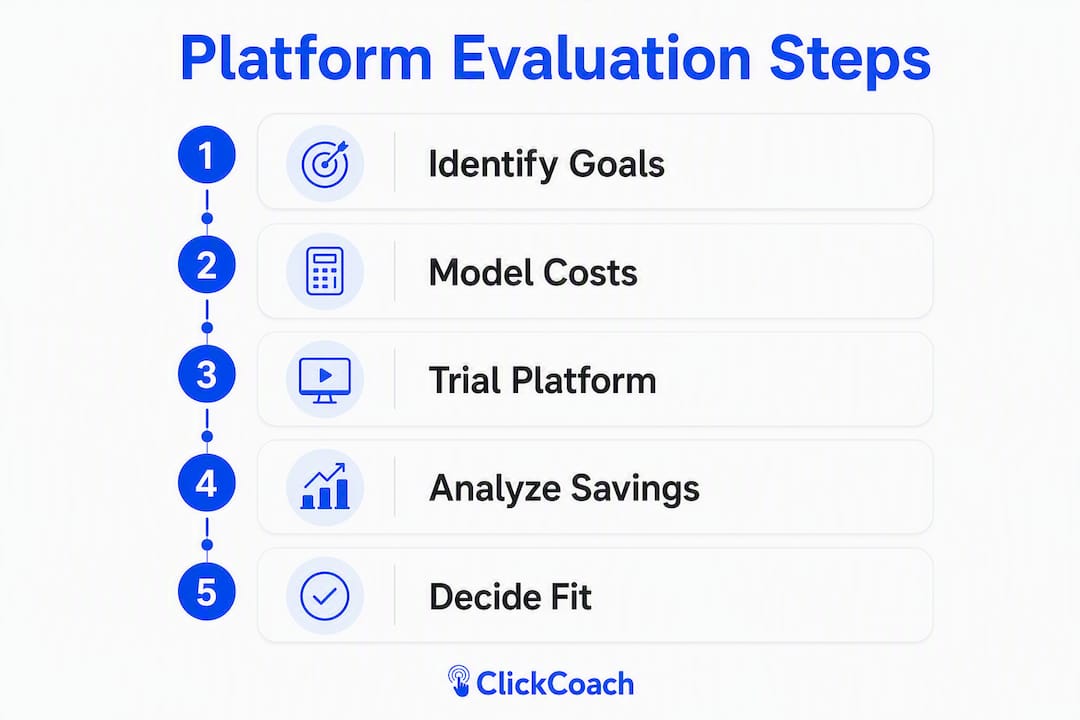
Evaluate vendors by modeling your real roster and expected admin time savings, not by the lowest advertised price. Client-capped pricing tiers often look inexpensive for very small rosters but increase sharply as active clients grow. A flat annual tier can be significantly cheaper once you pass a certain roster size.
Run a 30-day real-work test: import one existing client, complete onboarding, send check-ins, generate a progress report, and test billing and contract flows. Note every time you have to leave the platform to finish a task.
Cost-model template for your practice
| Cost row | What to fill in |
|---|---|
| Base subscription | Annual fee divided by month |
| Per-active-client fees | Any per-seat or per-client overage charges |
| Automation or SMS costs | Add-on fees for reminders, sequences |
| Payment gateway fees | Per-transaction percentage or flat fee |
| Team-seat costs | Additional coach logins |
| Time-saving revenue uplift | Minutes saved per session × sessions per month × your hourly rate |
The last row is the one most coaches skip. At 20 minutes saved per session across 20 clients, that is roughly 400 minutes per month returned to billable work.
Vendor questions to ask on every demo
Ask about client export format and scope, trial feature parity (mobile app access, client count limits, export capability), support SLA, refund policy, HIPAA and data privacy posture, and available onboarding templates. Confirm that trial accounts have feature parity with paid plans, especially for mobile access and export, so your test reflects real conditions.
Pro Tip: Coaches frequently choose tools based on aesthetics or influencer recommendations rather than workflow fit. The right question is not “Does this look clean?” It is “Does this remove friction from my weekly client workflow?”
How does ClickCoach map to real coaching problems?
ClickCoach is built around the specific pain points that slow coaches down: inconsistent follow-ups, low client accountability, and administrative overhead that eats into session preparation time.
- Milestone templates and progress logs eliminate the blank-page problem after every session. Templates capture goals at onboarding and link each session update to the client’s overall progress arc.
- Client portal with branded experience gives clients visibility into their own milestones and homework, which drives completion rates without extra coach effort.
- Automation triggers handle missed-session follow-ups, at-risk flags, and renewal prompts automatically, so no client falls through the cracks.
- AI-assisted homework drafting speeds up assignment creation while keeping the coach in control of client-facing language.
- CRM and prospects pipeline means lead management and active client management live in the same system.
ClickCoach saves coaches time in administrative tasks per session. Across a typical coaching roster with weekly sessions, this can recover significant additional billable time per month.
The pricing model is a single annual subscription with full platform access. No per-client tier surprises, no feature gating by plan level. The 30-day money-back guarantee gives you a clean exit if the platform does not fit your workflow after a real test.
Pro Tip: During your trial, export a sample client’s full record: session notes, progress logs, attachments, and metadata. If the export is incomplete or difficult, that is a signal worth taking seriously before you migrate your full roster.
Your 30/60/90-day rollout plan for milestone tracking
Migration does not have to disrupt your clients. A phased approach keeps the experience consistent while you build confidence in the new system.
| Phase | Milestone |
|---|---|
| First month | Import one pilot client, finalize milestone templates, complete staff training |
| Day 30 | First automated check-ins running, first progress report shared with a client |
| Day 60 | Full roster migrated, automation expanded to all onboarding and at-risk workflows |
| Day 90 | Renewal prompts live, churn signals monitored monthly, NPS capture after milestone completions |
Migration checklist: Export current session notes and goals from your existing tools. Standardize milestone labels across your programs. Import your pilot client and run a dry-run session. Map calendar, scheduling, and payment integrations. Confirm export of full client history and set a periodic backup schedule for the first 90 days.
Success metrics to track: average session prep time saved, homework completion rates, at-risk flags per month, renewal rate changes, and testimonial capture after milestone completions.
Pro Tip: Send clients a short note before you switch platforms. One paragraph explaining that their experience will feel more organized, with a portal they can check anytime, is enough. Clients rarely resist change when it clearly benefits them.
When is it time to move beyond spreadsheets?
The clearest signal is when you can no longer remember who is stalled without checking notes. For most coaches, that happens somewhere past a dozen active clients. A few other thresholds worth watching:
- Administrative time consistently exceeds the point where it competes with session preparation
- Homework completion rates fall below 50% with no visibility into why
- More than one client per month moves to an at-risk state without timely follow-up
- Recurring revenue reaches a scale where churn becomes the primary business risk, commonly cited around $10K MRR, where CRM-grade tracking of session history and progress becomes operationally necessary
When you see two or more of these signals at once, the cost of waiting is higher than the cost of migrating. Run a 30-day platform test, prioritize automation of onboarding and at-risk workflows, and lock down export checks during the trial.
Avoid choosing a platform because it looked good in a YouTube review or because a well-known coach mentioned it in a course. The only valid test is whether it removes friction from your actual weekly workflow.
Pro Tip: Set a calendar reminder for 90 days after you start any new platform. Review your session prep time, homework completion rates, and renewal conversations. If none of those numbers improved, you have the data to make a different decision.
Key Takeaways
The most effective milestone tracking setup for a U.S. coaching practice combines a dedicated platform with clear export controls, automation triggers, and a client-facing portal, all under a single login.
| Point | Details |
|---|---|
| Lead with workflow, not features | Choose the platform that removes friction from your weekly client routine, not the one with the most impressive feature list. |
| Model total costs accurately | Include per-client fees, automation costs, and time-saving revenue uplift, not just the base subscription price. |
| Run a 30-day real-work test | Import one client, complete onboarding, generate a progress report, and test export before committing to annual billing. |
| Follow the 30/60/90 plan | Pilot with one client, migrate the full roster by Day 60, and have renewal prompts and churn monitoring live by Day 90. |
| ClickCoach for coaches | ClickCoach offers milestone templates, AI homework drafting, a branded client portal, and up to 20 minutes saved per session under one annual subscription. |
What coaches actually learn after switching platforms
The conventional wisdom in coaching software discussions is that more features equal more value. After working through how coaches actually use these tools, that framing misses the point almost entirely.
The coaches who get the most out of milestone tracking platforms are not the ones who use every feature. They are the ones who pick a platform that mirrors their existing coaching flow and then automate the three or four tasks they were doing manually every week. The rest of the feature set is largely irrelevant until the practice grows into it.
The other thing most comparisons underweight is exit cost. Coaches spend a lot of time evaluating onboarding and almost no time verifying that they can get their data back cleanly. Session notes, progress logs, attachments, and client history are years of relationship context. Always verify exportability before you migrate a roster, not after.
The 30-day real-work test is not optional. A demo is a sales presentation. The only way to know whether a platform fits your method is to run your actual workflow through it with a real client.
ClickCoach gives you one place to run your entire practice
If you have been tracking client milestones across a mix of notes, spreadsheets, and booking tools, the cost is not just administrative time. It is the follow-ups that slip, the renewals that do not happen, and the clients who disengage because accountability felt inconsistent.
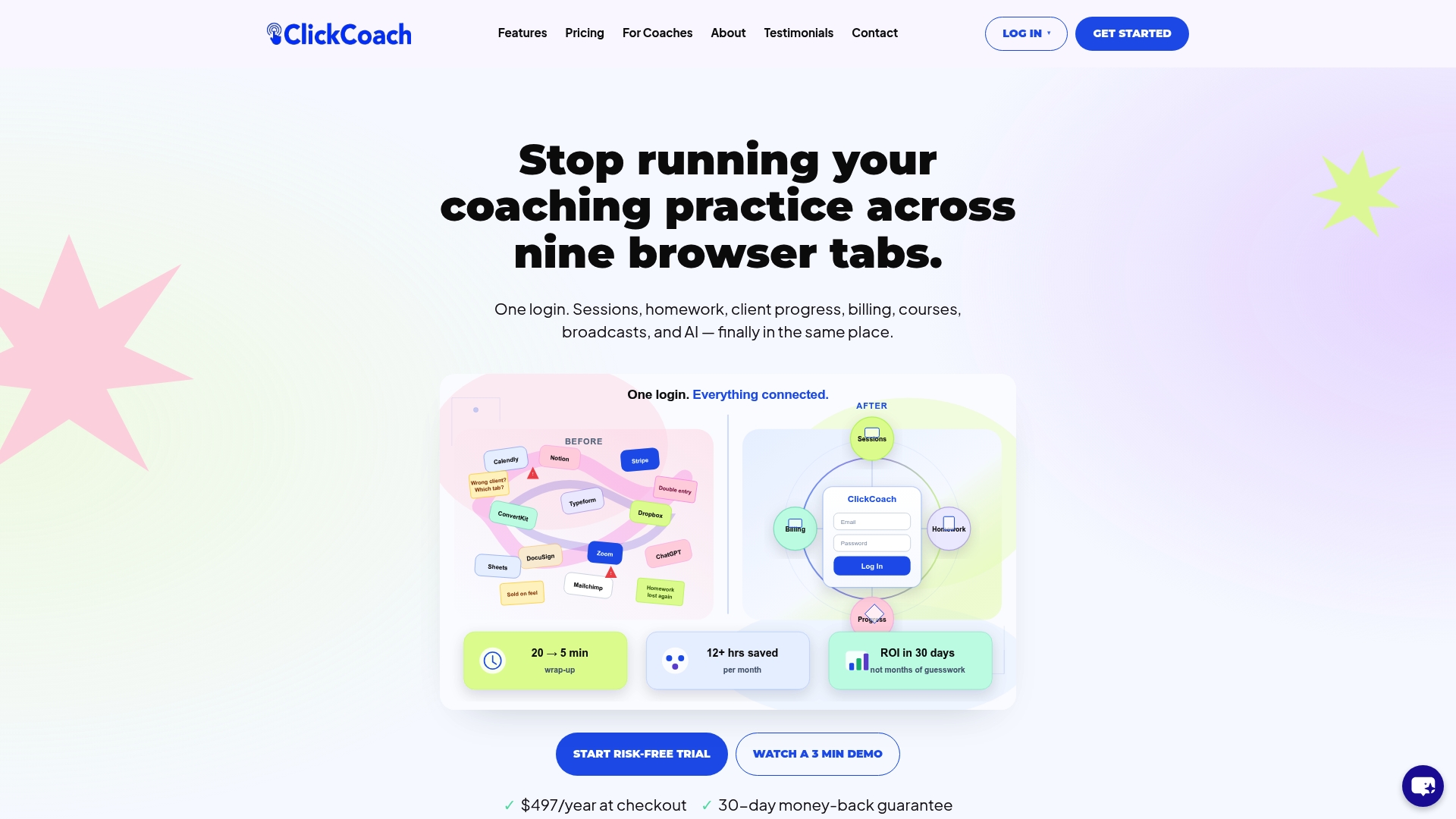
ClickCoach puts milestone templates, progress logs, a branded client portal, AI-assisted homework, billing, and team management under one login. The annual subscription gives you full platform access from day one, with no per-client tier surprises as your roster grows. The 30-day money-back guarantee means you can run a complete real-work test before you commit.
Start by importing one client, completing their onboarding in the platform, sending one automated check-in, and generating a progress report. That single workflow will tell you more than any demo. Start your ClickCoach trial and run the 30-day test on your own terms.