

Client information silos are disconnected pockets of client records — calendar entries, session notes, billing, messaging, programs, and progress data — stored in separate tools that prevent you from seeing the full client picture. The fix is a single, coach-owned source of truth built on a split-layer architecture that keeps coaching delivery separate from business operations.
Three things to know right now:
- Common silo sources: calendar apps, note-taking tools, payment processors, DMs, spreadsheets, and progress photo folders
- The core consequence: you coach with roughly 1.8% visibility into your client’s week, making every programming decision based on incomplete data
- The one-line fix: consolidate client data into one coaching-owned platform and map every tool to either the delivery layer or the ops layer
Start this week: List every tool that holds client data and assign each one to “coaching delivery” or “business ops.” That audit is the foundation of everything below.
Table of Contents
- What are client information silos, and do you have them?
- How silos hurt your coaching and your clients
- Why a split-layer architecture beats one generic tool
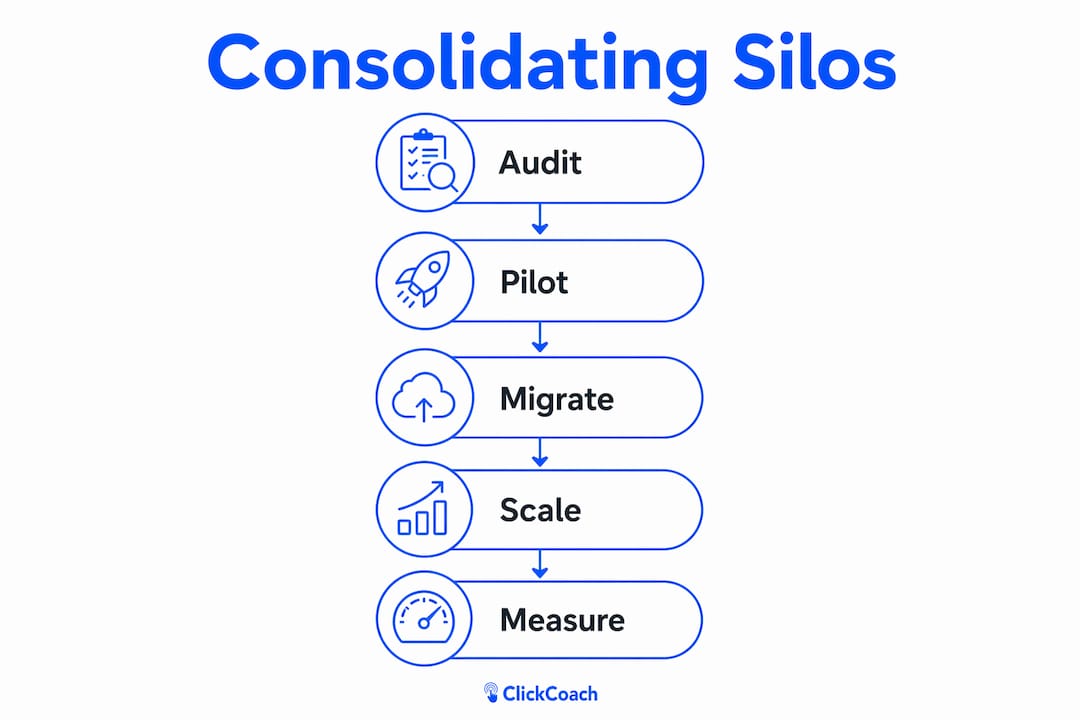
- How to consolidate silos: audit, pilot, scale
- Migration checklist and realistic 0–90 day timeline
- What features should you require in an integrated platform?
- How do you measure whether consolidation actually worked?
- How ClickCoach removes silos for coaches
- What should you do this week, next month, and after 90 days?
- Key Takeaways
- The operational discipline most coaches skip
- ClickCoach gives you one place to run your whole practice
- Useful sources
What are client information silos, and do you have them?
A client information silo is any situation where a piece of client data lives in a tool that does not talk to the rest of your practice. Coaching tech sprawl creates workflow friction and hidden operating costs: when lead capture, onboarding, delivery, and reporting live in different tools, you lose pipeline visibility and spend time reconciling records instead of coaching.
Spot your silos with this quick checklist:
- Session notes in a personal Google Doc or Apple Notes
- Billing history in Stripe, PayPal, or a personal Square reader
- Client messages buried in Instagram DMs, WhatsApp, or email threads
- Progress photos in a phone camera roll or a shared Dropbox folder
- Program plans in a separate PDF or spreadsheet
- Goals and homework tracked in a different app from session notes
Three scenarios coaches recognize immediately:
- Solo coach (10 clients): You prep for Tuesday’s session by opening four tabs: your calendar, a Google Doc for notes, a spreadsheet for progress, and a chat thread for context. You spend 15 minutes just getting oriented.
- Small studio (3 coaches, 40 clients): A coach leaves. Their client notes were in their personal Trainerize account. That data leaves with them because it was never stored in a business-owned system.
- Online coaching admin: DM notes versus CRM, payments logged in multiple places, onboarding steps split across email and docs — common duplication points that inflate admin time every week.
Pro Tip: If you cannot pull up a client’s goals, last session notes, and billing status in under 60 seconds without switching apps, you have a silo problem.

How silos hurt your coaching and your clients
Silos create what researchers call the “coaching blind.” You have direct visibility into only a small portion of your client’s week — the structured sessions you design. The other 165 hours are invisible. Every programming decision you make is based on partial information.
Fragmented member data is a silent operating cost that reduces coaching capacity and increases risk. Separate systems for billing, program delivery, attendance, and notes create duplicate work and stale records that directly impact coaching decisions and client retention.
Consider this: a client reports a plateau. You adjust volume upward. What you did not see, because it lived in a fitness app that never reached your dashboard, was that they added three recreational runs and a weekend hike. You just made the overtraining problem worse.
Operational consequences of scattered data:
- Lost prep time before every session (often 10–20 minutes)
- Human error from copying data between tools
- Missed red flags — load spikes, habit gaps, declining engagement
- Reduced client retention when follow-up feels impersonal
- Admin drag that compounds as your roster grows
Why a split-layer architecture beats one generic tool
The answer is not “use one giant app for everything.” Industry guidance for U.S. coaching businesses recommends a split-layer architecture that separates coaching-specific content from business operations.
Coaching delivery layer (you own this):
- Session notes and client history
- Programming and habit tracking
- Homework assignments and progress metrics
- Messaging tied to the client record
Business ops layer:
- Scheduling and calendar bookings
- Billing and payment processing
- CRM and lead pipeline
- Reporting and analytics
The split matters because an integrated coaching stack is not about buying the most software. It is about designing a system where client data, scheduling, and outcome tracking move through one coherent workflow. When the delivery layer is coach-owned and integrated, coaches stop abandoning CRM updates because the record update happens inside the workflow, not as a separate admin task.
Pro Tip: Map your current tools to these two layers on a whiteboard before evaluating any new platform. You will immediately see which tools are redundant and which gaps need filling.
How to consolidate silos: audit, pilot, scale
Before consolidating tools, run a tech-stack audit: map where lead capture, onboarding, payments, client delivery, and reporting currently live so you can identify true sources of duplication.
- Audit: List every tool, every data field it holds, and who owns the account. Flag any data that lives in a personal (not business) account.
- Map data fields: Define which fields must transfer — goals, session history, billing, contact info, progress metrics.
- Choose a system of record: One platform owns the coaching delivery layer. Everything else feeds into it or sits alongside it.
- Plan exports and imports: Export CSVs from your current tools. Confirm the new platform can import them cleanly.
- Set pilot success criteria: Pick 5–10 clients. Define what “working” looks like after 30 days (time saved, data completeness, client engagement).
- Scale: Roll out to the full roster only after the pilot confirms the workflow holds.
Pilot plan template:
- Select 5–10 clients representing your typical roster mix
- Run the pilot for 30 days before expanding
- Communication script: “I’m moving to a new system to give you a better experience. You’ll get a portal invite this week.”
- Rollback trigger: if data completeness drops or client confusion spikes, pause and troubleshoot before continuing
Pro Tip: Reduce context switching by embedding your delivery layer into your existing session prep routine. Open one tab, not four.
Migration checklist and realistic 0–90 day timeline
One-line plan: audit in the first 30 days, migrate and pilot in days 30–90, then measure and scale.
| Phase | Tasks | Suggested Owner | Acceptance Criteria |
|---|---|---|---|
| 0–30 days | Tool audit, data map, export CSVs, choose platform, get client consent | Coach or ops lead | Every tool listed, every data field mapped |
| 0–30 days | Draft client communication, set up new platform accounts | Coach or VA | Platform configured, pilot clients identified |
| 30–90 days | Import data, run pilot (5–10 clients), train staff | Coach + VA | Data imported cleanly, pilot clients onboarded |
| 30–90 days | Measure pilot KPIs, fix friction points, full roster rollout | Coach or ops lead | KPI targets met, no data gaps |
Migration task checklist:
- Export client records from every current tool
- Confirm new platform accepts your file formats
- Assign one owner per data category (contact info, billing, session notes)
- Communicate the change to clients before their next session
- Train any staff or contractors on the new workflow
- Document a contingency plan if the migration stalls
U.S. compliance note: Get written or in-app consent from clients before importing their data into a new platform. Keep a record of that consent. For health-adjacent coaching, review your data handling practices against applicable state privacy laws and your existing client agreements.
Structured handoffs and single ownership of client status reduce silo-driven errors and improve follow-up reliability — assign one person to own each data category during migration.
Pro Tip: Do not migrate everything at once. Start with contact info and session notes. Add billing and progress data in week two. Phased imports catch errors before they compound.
What features should you require in an integrated platform?
These are the features that eliminate silos day-to-day. Many coaches combine training delivery, nutrition, accountability, messaging, and admin via separate apps; the right platform replaces that stack with one coherent system.
Priority features:
- Single login with a branded client portal
- Coach-owned client history (not tied to a personal account)
- Activity and habit tracking with simple manual logging
- Calendar and billing integrations
- Messaging tied directly to the client record
- One-click data exports (you own your data)
- Role-based access for staff or contractors
Operational feature callouts:
- Automation templates for homework and follow-up
- API or native connectors to your calendar and payment tools
- White-label client experience so your brand leads
- Import/export in standard formats (CSV, PDF)
Security and data ownership checklist:
- Data stored in U.S.-based servers (or clearly disclosed residency)
- Encryption at rest and in transit
- Business account ownership, not individual coach accounts
- Clear vendor policy on who can access your client records
Pro Tip: Ask any platform vendor directly: “If I cancel, can I export all client data in a standard format?” If the answer is unclear, keep looking.
How do you measure whether consolidation actually worked?
Start with four KPI categories: time saved per session, client engagement and adherence, progression metrics, and retention changes.
| KPI | How to Measure | Example Target |
|---|---|---|
| Admin time per session | Track prep + follow-up minutes before and after | Reduce prep and follow-up time per session significantly |
| Client portal logins | Platform analytics, weekly active users | 70%+ of clients log in weekly |
| Homework completion rate | Tasks assigned vs. tasks marked complete | High completion rates per week |
| Client retention (90-day) | Clients active at day 90 vs. day 1 of pilot | Maintain or improve vs. pre-consolidation baseline |
| Data completeness | % of client records with all required fields filled | 90%+ complete records |
90-day measurement template:
- Baseline (week 1): Record current admin time, completion rates, and retention figures
- Pilot (weeks 2–12): Track the same metrics weekly in the new platform
- Delta (day 90): Compare pilot averages to baseline; flag any KPI that moved in the wrong direction
Operational wins vs. client-outcome wins:
- Operational: time saved, data completeness, fewer missed follow-ups
- Client-outcome: habit adherence, progression toward goals, retention
Client retention improves when staff have a single record with attendance, progress, and communications — that single record is what you are building.
How ClickCoach removes silos for coaches
ClickCoach is designed to be the coaching delivery layer and a coach-owned source of truth. Every client’s goals, session history, homework, commitments, and progress live in one place under one login.
| Feature coaches need | ClickCoach capability |
|---|---|
| Single login + client portal | Yes — branded portal, one login for coach and client |
| Coach-owned client history | Yes — business account, not personal |
| Activity and habit tracking | Yes — progress tracking built in |
| Messaging tied to client record | Yes — communications in client context |
| Homework assignment and tracking | Yes — AI-assisted drafting and completion tracking |
| Billing integration | Yes — session management and billing unified |
| Data export | Yes — coach-owned exports |
Coaches moving from spreadsheets and multiple apps report saving significant time per session by eliminating the tab-switching that fragmented tools require.
Migration tips for ClickCoach:
- Start your pilot with 5–10 clients from your current roster
- Import existing contact info and goals in week one; add historical session notes in week two
- Use the AI homework drafting feature from day one to see the time savings immediately
- Measure portal login rates and homework completion as your primary pilot KPIs
Pro Tip: Set up your ClickCoach client portals before you invite clients. A polished first impression reduces the friction of asking clients to adopt a new tool.
What should you do this week, next month, and after 90 days?
This week (audit):
- List every tool holding client data and the account owner
- Flag any data in personal (non-business) accounts
- Assign each tool to “coaching delivery” or “business ops”
Next month (pilot):
- Choose 5–10 clients for a 30-day pilot on your new platform
- Migrate contact info and session notes first
- Send a simple client communication before their next session
After 90 days (measure and scale):
- Compare your KPI baseline to pilot results
- Roll out to the full roster if data completeness and time-saved targets are met
- Document your new workflow so staff handoffs do not recreate the silos you just fixed
Quick guide by practice size:
- 0–10 clients: One platform handles everything; prioritize single login and client portal
- 10–50 clients: Split-layer architecture matters more; confirm billing and calendar integrations work before scaling
- Staffed practices: Role-based access and business-owned accounts are non-negotiable before adding team members
One reminder: your client data must live in a business-owned account. When data lives in an individual coach’s personal account, staff turnover causes continuity loss that no migration plan can fully recover.
Key Takeaways
Consolidating client information silos into a split-layer, coach-owned platform is the single most effective way to recover coaching time and improve client outcomes.
| Point | Details |
|---|---|
| Define your silos | Client data scattered across calendar, notes, billing, and messaging tools creates a coaching blind and hidden admin costs. |
| Use split-layer architecture | Separate coaching delivery (notes, programs, habits) from business ops (billing, scheduling, CRM) for a cleaner, scalable workflow. |
| Follow the 0–90 day plan | Audit in the first 30 days, pilot with 5–10 clients in days 30–90, then measure KPIs before full rollout. |
| Track four KPIs | Measure admin time saved, client portal engagement, homework completion, and 90-day retention to prove consolidation worked. |
| Use ClickCoach | ClickCoach consolidates session management, billing, progress tracking, and homework under one login, saving coaches up to 20 minutes per session. |
The operational discipline most coaches skip
Most coaching guides focus on methodology and client results. The operational layer — where data lives, who owns it, and how it flows between sessions — gets treated as an afterthought. That is a mistake, and it compounds quietly.
When client data is scattered, you do not just lose time. You lose continuity. A client mentions something important in a DM that never makes it to their session notes. A progress plateau gets misread because the activity data that explains it is sitting in an app you never check. Over months, these small gaps add up to coaching decisions made on incomplete information.
The coaches who build strong practices are not necessarily the most talented. They are the ones who treat their operating workflow with the same rigor they apply to their coaching method. A clean, business-owned system of record is not a luxury for large studios. It is the foundation that lets a solo coach scale from 10 clients to 50 without losing the personal touch that made those first 10 stay.
Start with a small pilot. Pick five clients, one platform, and 30 days. The data will tell you everything you need to know.
ClickCoach gives you one place to run your whole practice
Coaches who switch from fragmented tools to ClickCoach recover up to 20 minutes per session — time that goes back into actual coaching, not tab-switching and record reconciliation.
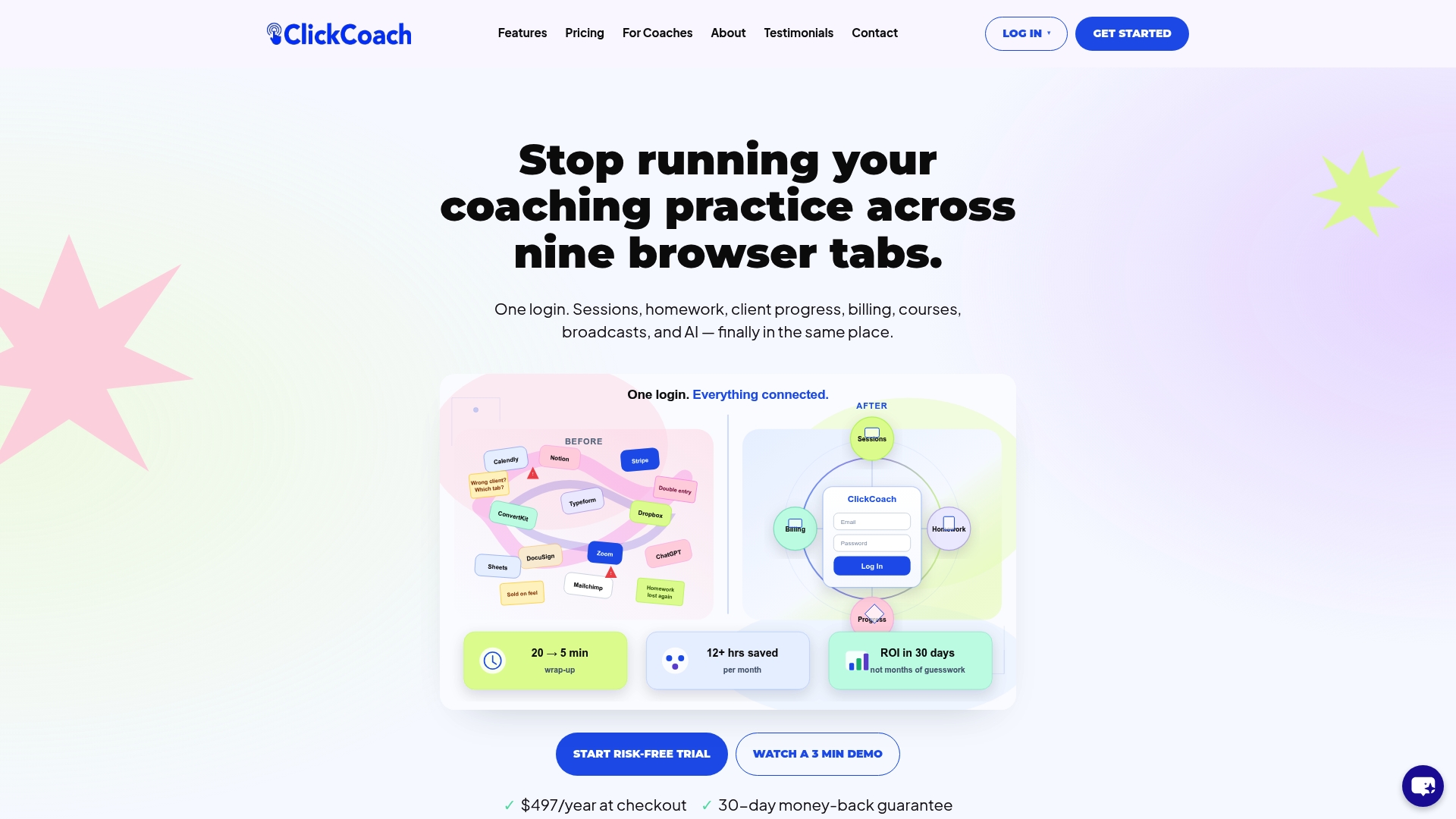
Running a pilot is straightforward. Choose 5–10 clients, set up their branded portals, and use the built-in homework and progress tracking from day one. Within 30 days, you will have concrete data on time saved, client engagement, and homework completion rates. Use the 0–90 day checklist from this guide to structure your evaluation.
ClickCoach handles session management, billing, progress tracking, and homework assignments under one login. Your client data stays in a business-owned account you control, with export options that protect you if your needs ever change.
Start your ClickCoach pilot today and see what 20 minutes back per session looks like across your full roster.
Useful sources
- The Coaching Blind: Why Client Activity Tracking Changes Everything — Gymkee’s breakdown of the 1.8% visibility problem and how activity tracking closes the gap
- Coaching Tech Stack Audit for Online Coaches — Step-by-step audit framework for mapping duplication across coaching tools
- The Coaching Tech Stack Is Broken — Coach360’s case for split-layer architecture in U.S. coaching practices
- Fragmented Member Data: The Gym Profit Leak — Operational cost framing for scattered client records
- Why Online Coaches Are Moving Away From Fragmented Fitness Software — BizWeekly on the consolidation trend driving platform demand
- Designing an Integrated Coaching Stack — Architecture guidance for connecting client data, scheduling, and outcomes
- The Fitness Industry’s Client Data Ownership Crisis — Why business-owned data matters and what coaches risk when it lives in personal accounts
- 7 Account Management Best Practices for Sales Success — Structured handoff and ownership practices that reduce silo-driven errors
- What Is Client Retention? A Guide for Business Leaders — Retention metrics and single-record interventions for coaching practices
- ClickCoach — One Login for Your Coaching Practice — Platform documentation and feature overview for the consolidation solution recommended in this guide